
REV6.6的完整圖版
http://shadowsfalltw.gjisland.net/?p=3787
--
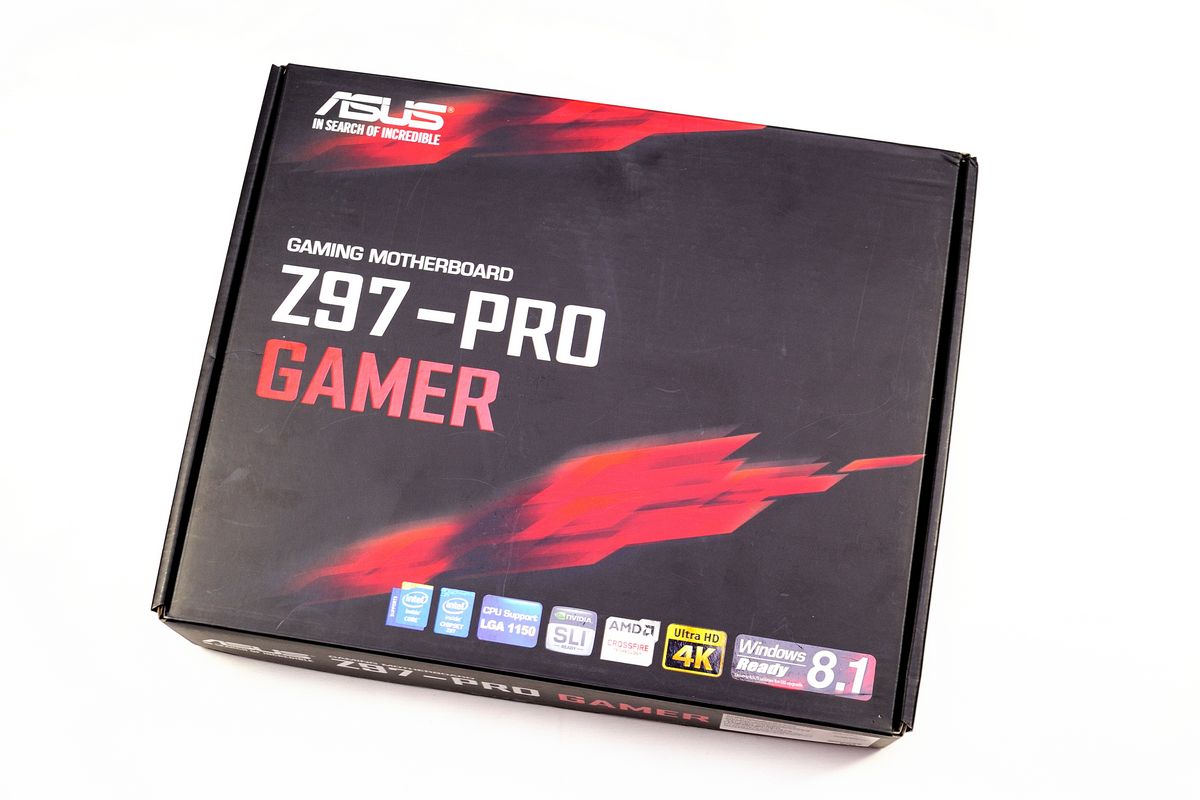
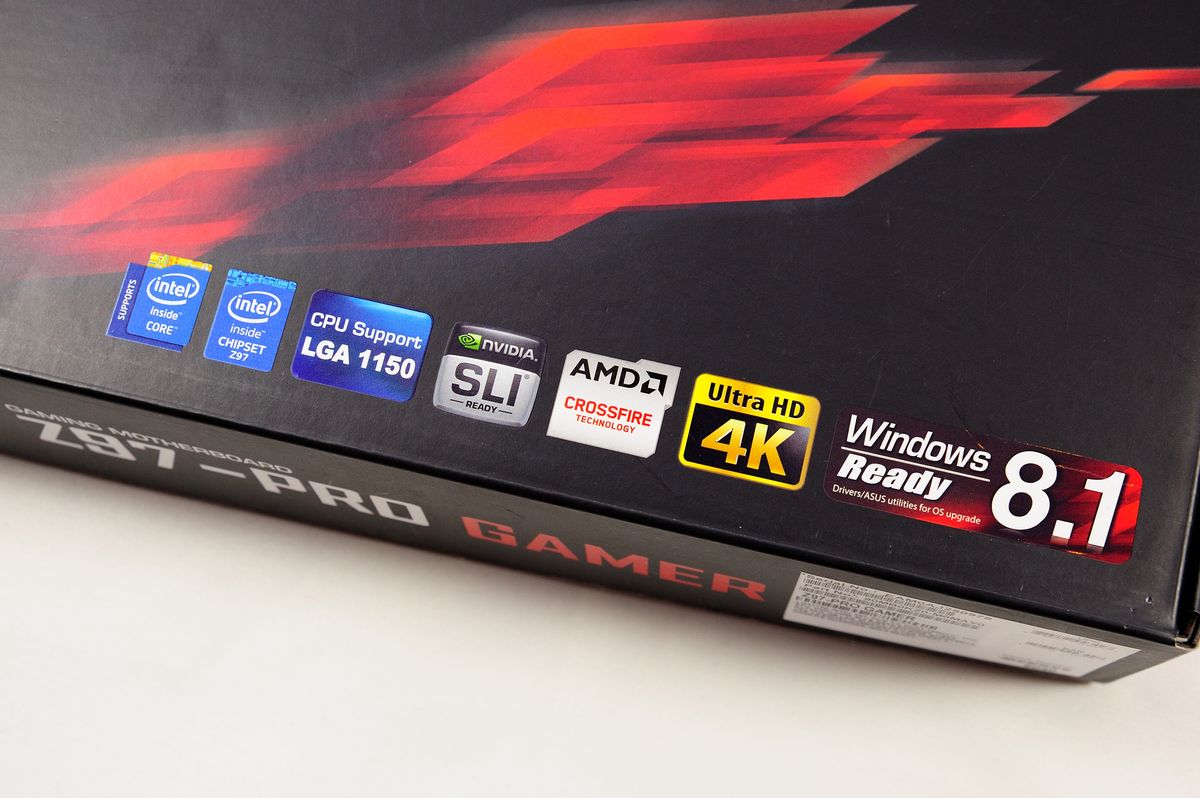
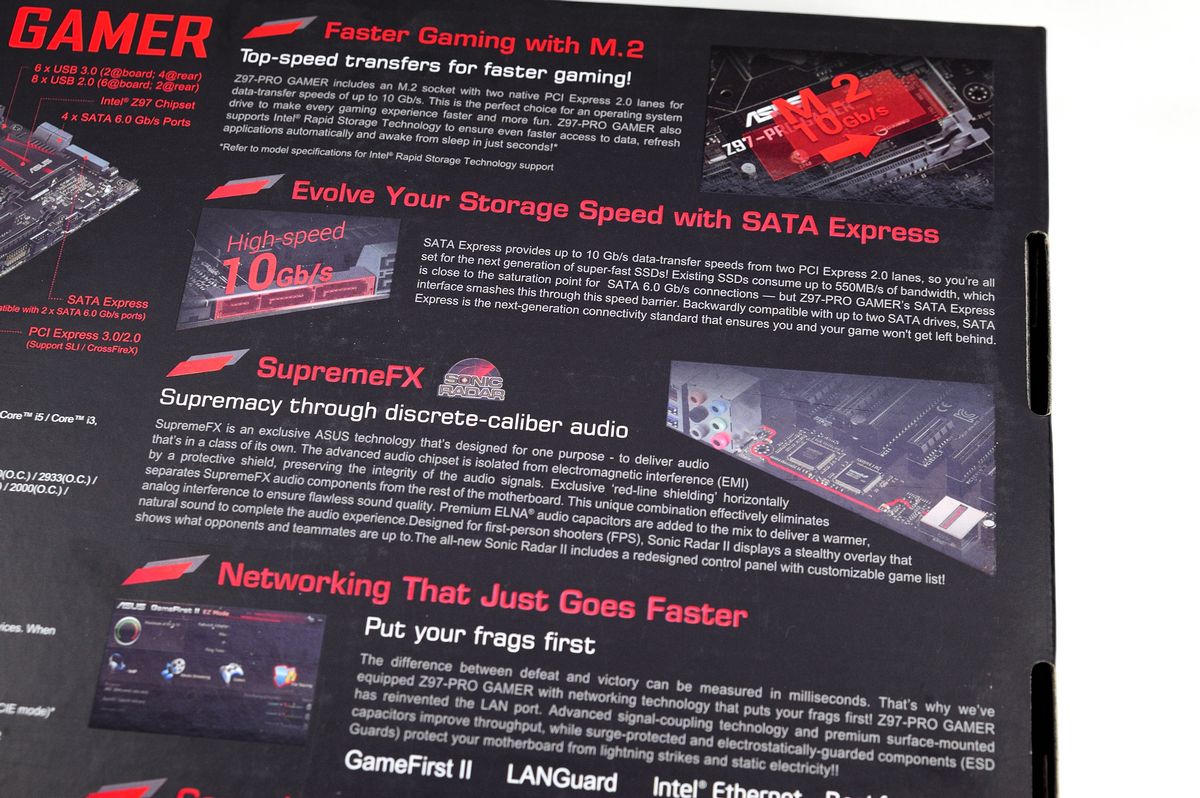
產品外包裝:
http://shadowsfalltw.gjisland.net/pic/asusz97pg/z97progamer01.JPG
 http://shadowsfalltw.gjisland.net/pic/asusz97pg/z97progamer02.JPG
 http://shadowsfalltw.gjisland.net/pic/asusz97pg/z97progamer03.JPG
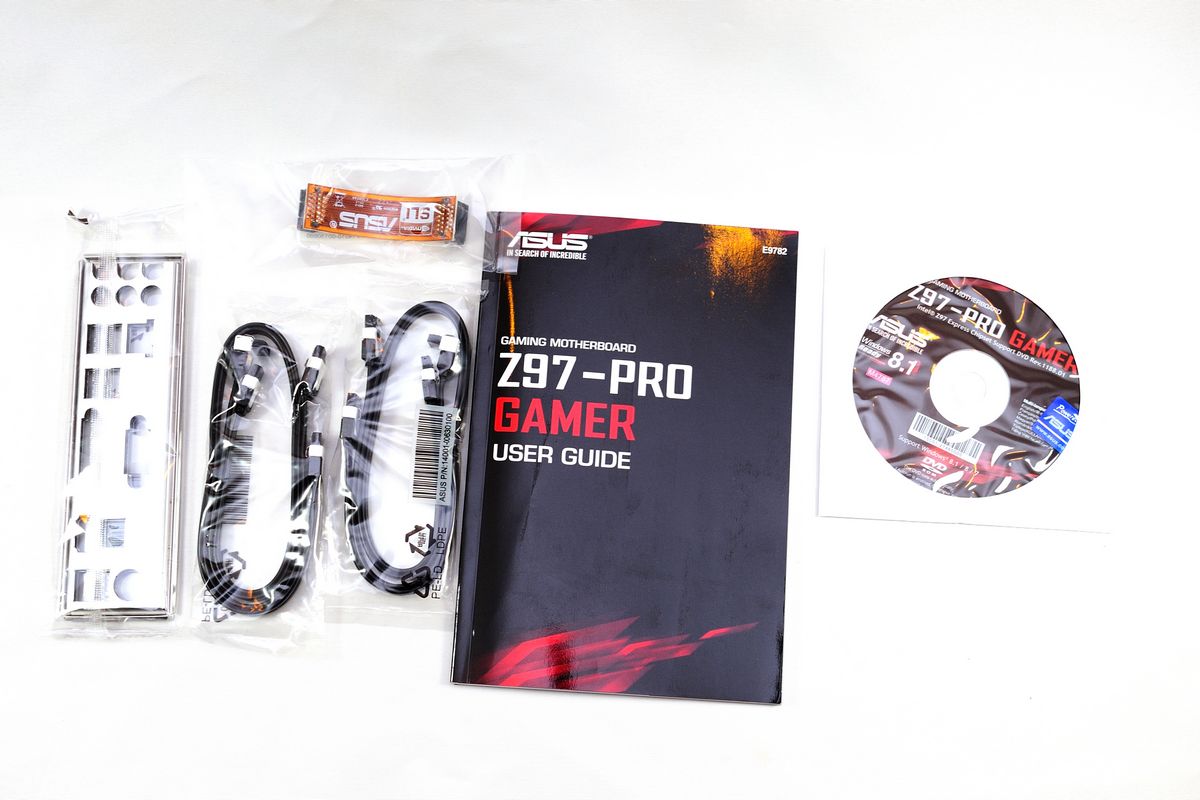
配件一覽:
http://shadowsfalltw.gjisland.net/pic/asusz97pg/z97progamer04.JPG
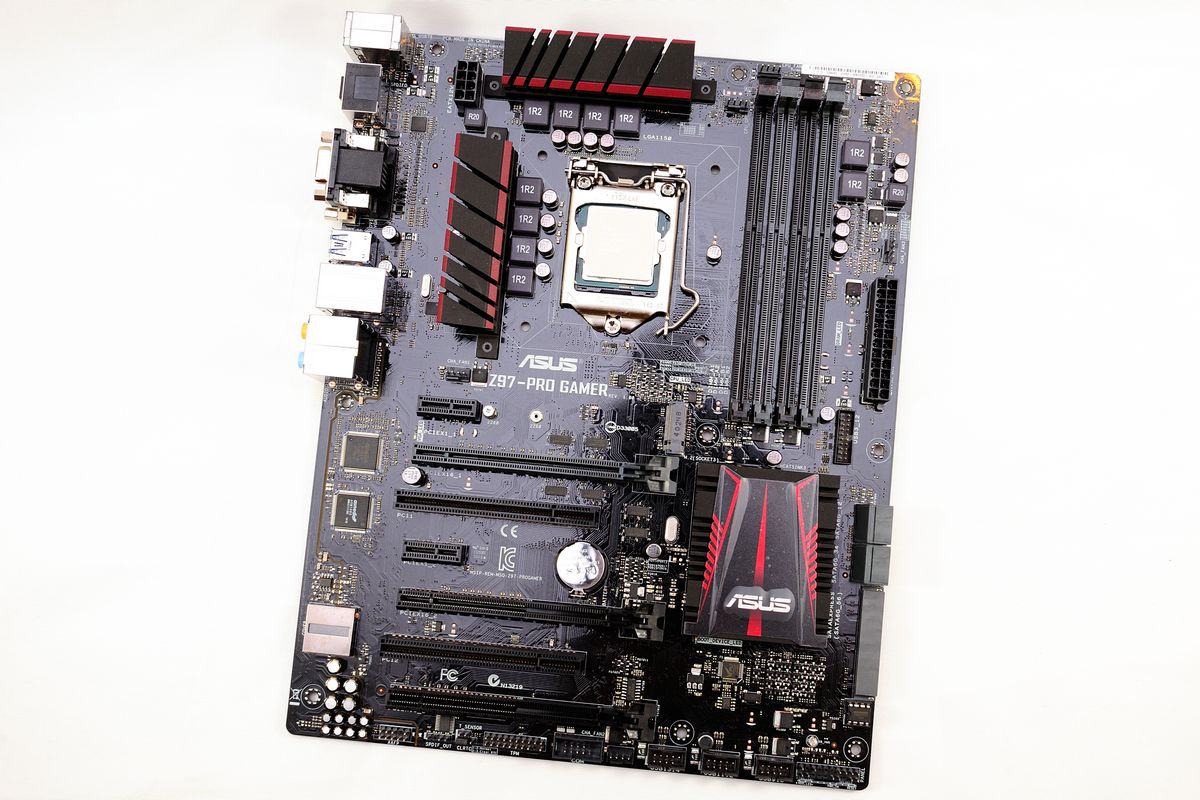
本體部分,散熱片也是採紅黑配色。
http://shadowsfalltw.gjisland.net/pic/asusz97pg/z97progamer05.JPG
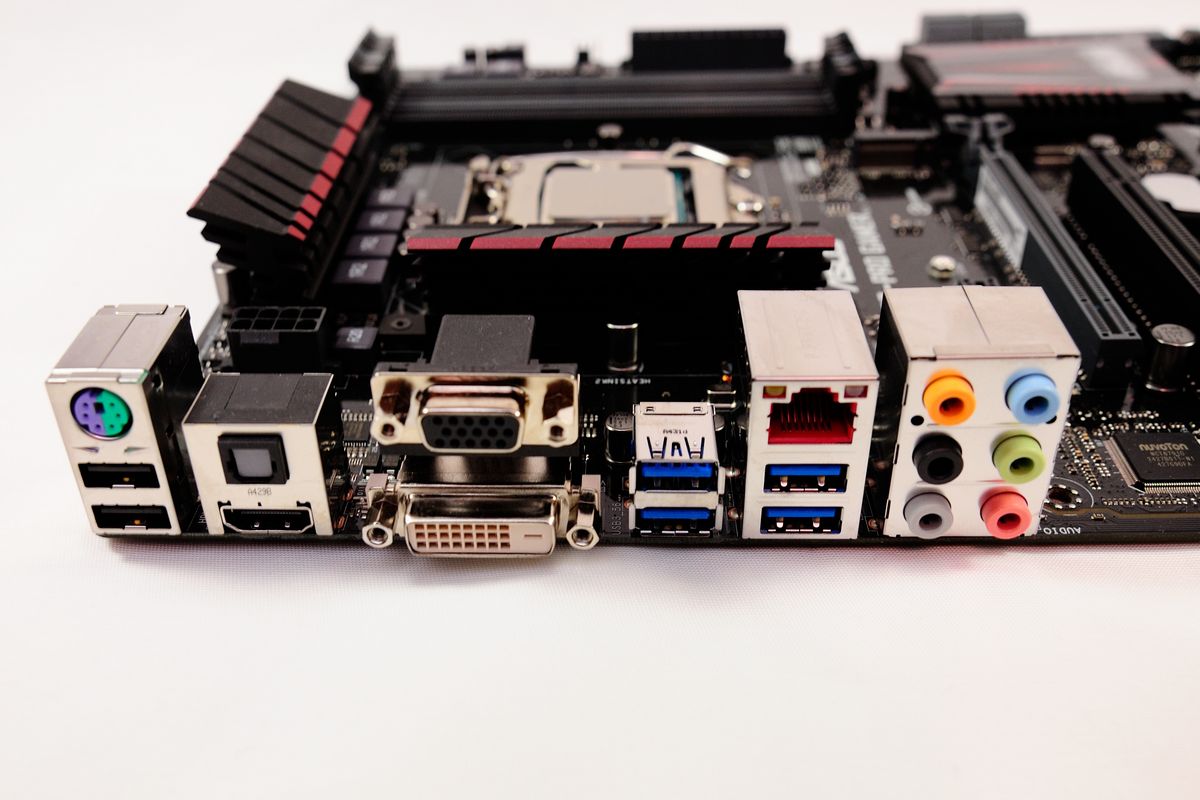
背板 I/O 部分:最大的特色在於 Lan Port 內使用了較高規格的 LanGuard 技術來進行
耦合以及ESD保護。
http://shadowsfalltw.gjisland.net/pic/asusz97pg/z97progamer06.JPG
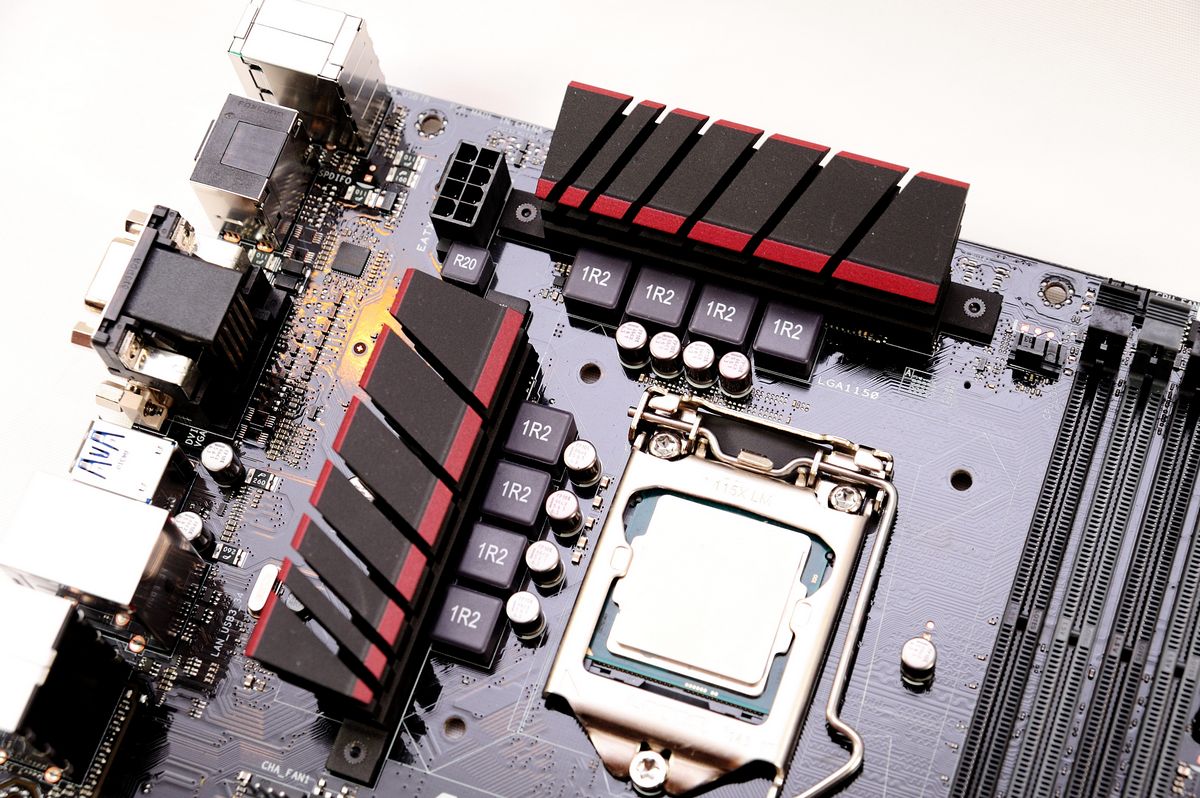
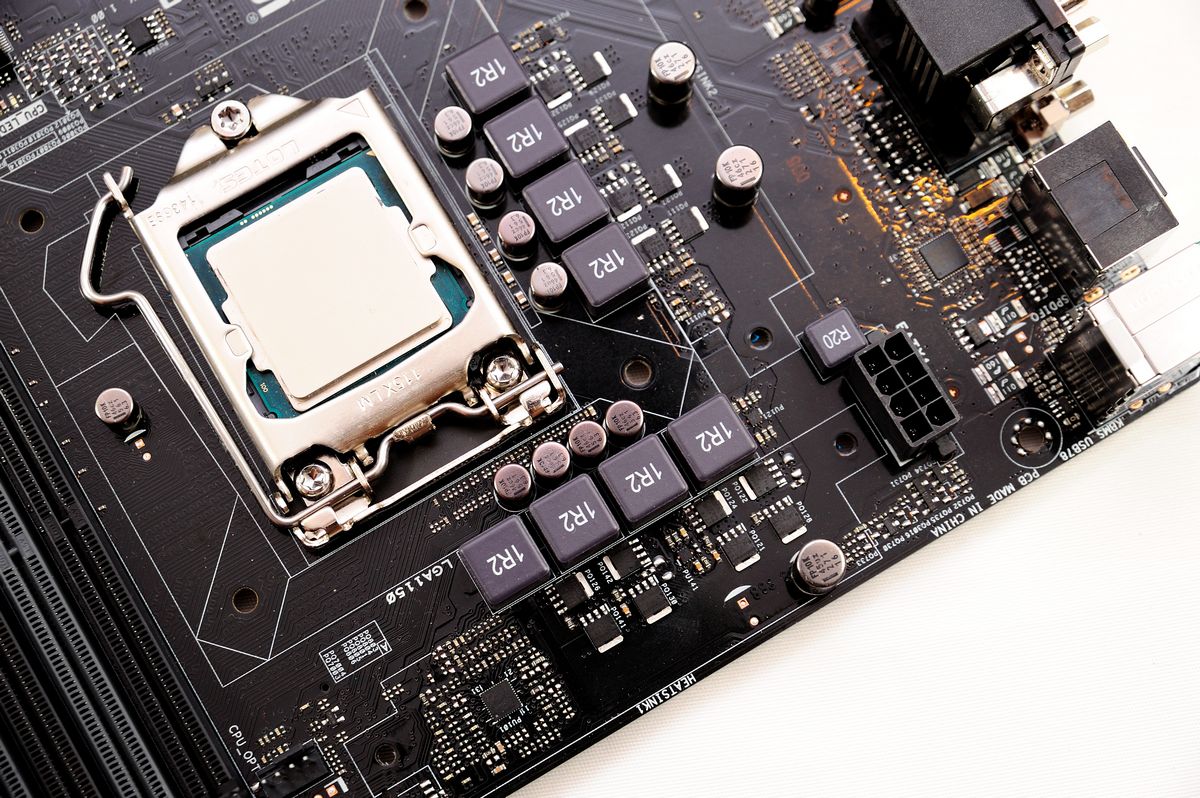
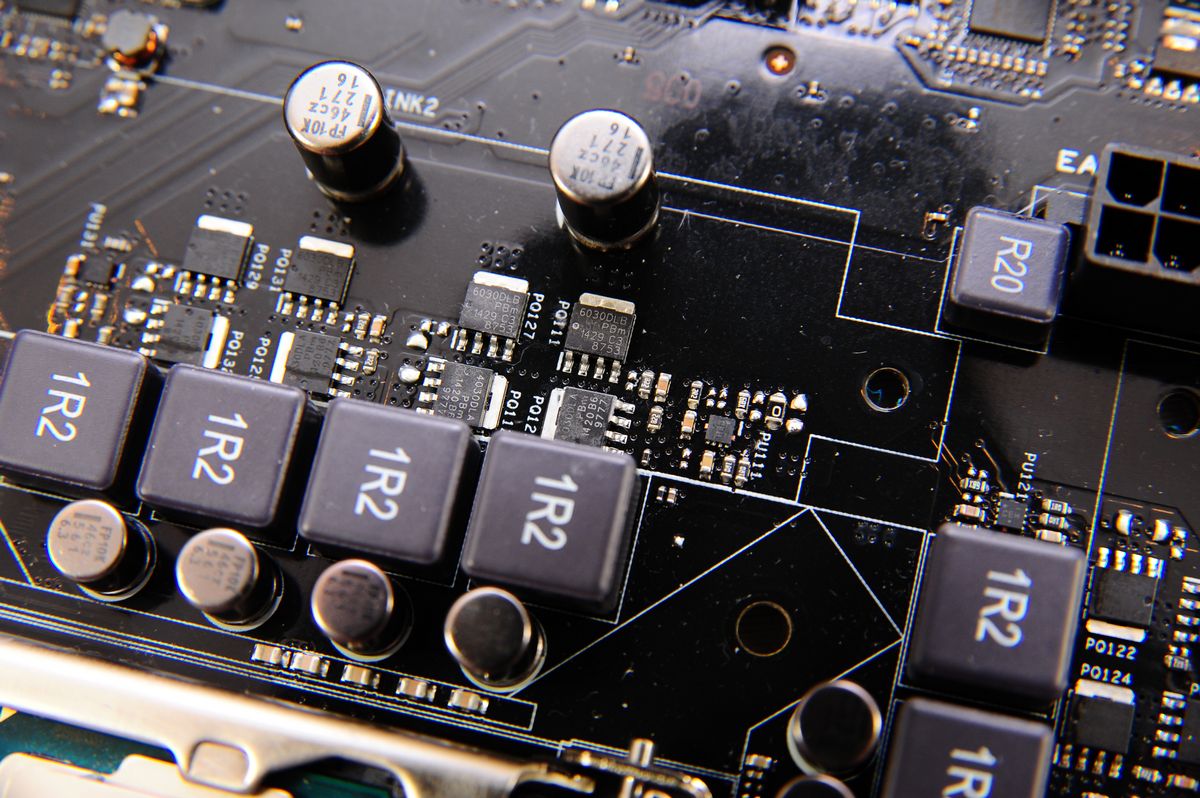
供電 VRM 部分相來是主機板的重點,Z97-Pro Gamer 看起來 CPU 是有八相供電,不過是
否為八相供電,應要從 PWM 主控以及 MOSFET Driver 的型號與數量來確認,在此使用的
是 ASP1252 4 相 Digi+VRM。不過使用的Driver 編號查詢並沒有公開資料,因此無法確
定是否內建擴相電路。
http://shadowsfalltw.gjisland.net/pic/asusz97pg/z97progamer07.JPG
 http://shadowsfalltw.gjisland.net/pic/asusz97pg/z97progamer08.JPG
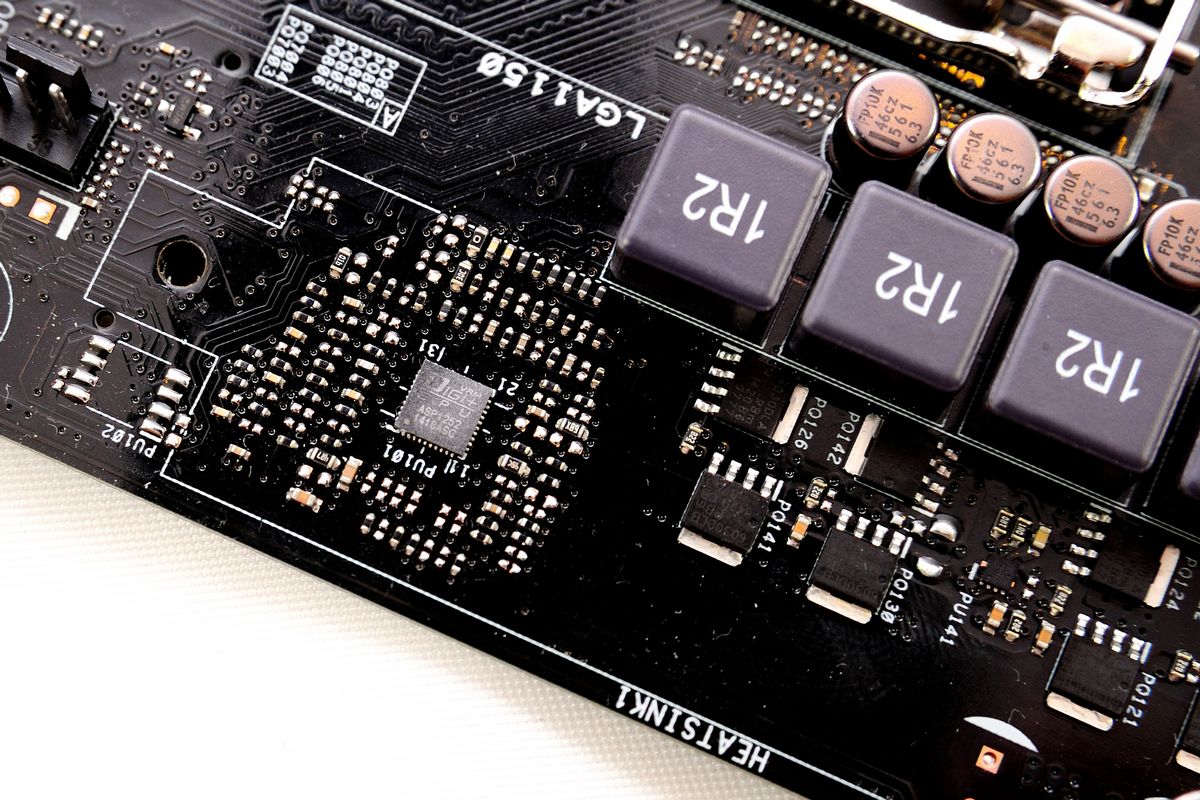
但從 Driver、MOSFET 擺放的位置以及產品定位的經驗法則來看,應是使用了電感並聯的
手法 搭配了 2HS+2LS MOSFET 的 4相供電,在這價格的設計上是恰如其分;VRM 其餘的
元素則是使用了 FP10K 固態電容,以及 Ferrite 電感組成,在供電的 MOSFET 部分則是
近來在 ASUS 主機板上能見度頗高的 NXP PSMN1R6-30BL 及PSMN2R4-30YLD。
http://shadowsfalltw.gjisland.net/pic/asusz97pg/z97progamer09.JPG
 http://shadowsfalltw.gjisland.net/pic/asusz97pg/z97progamer10.JPG
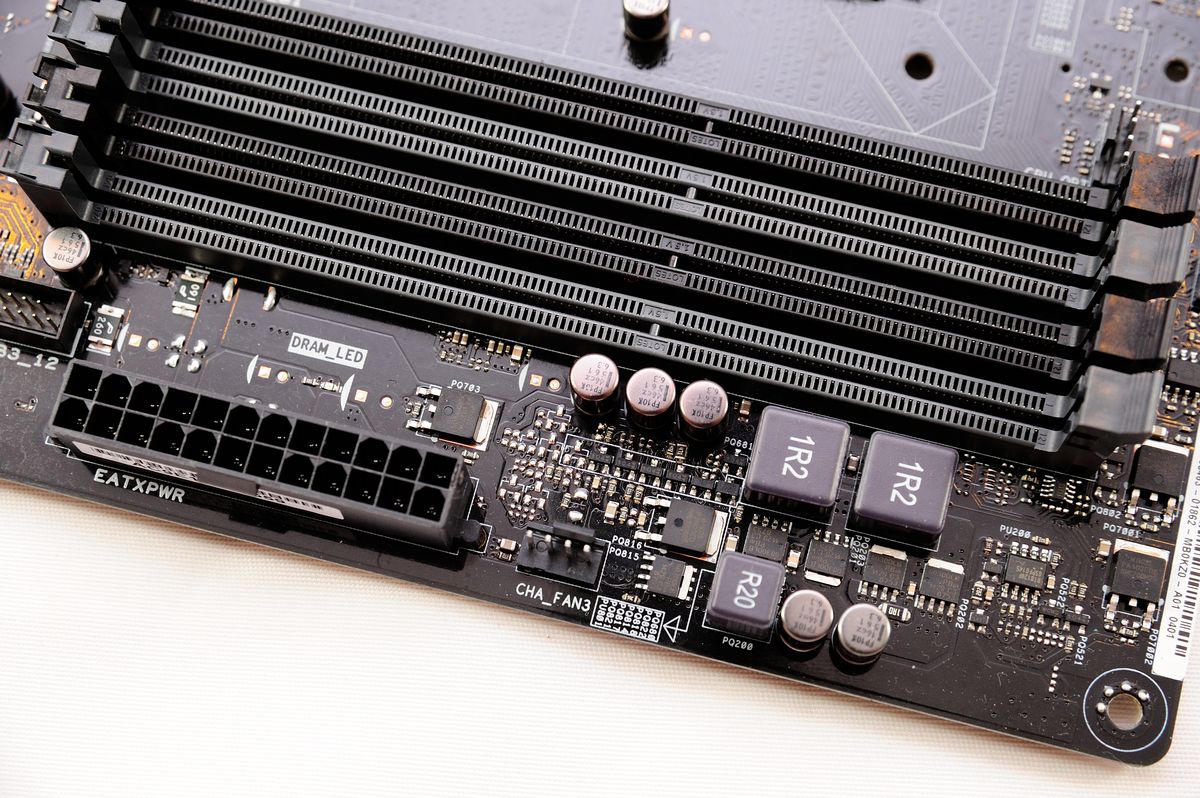
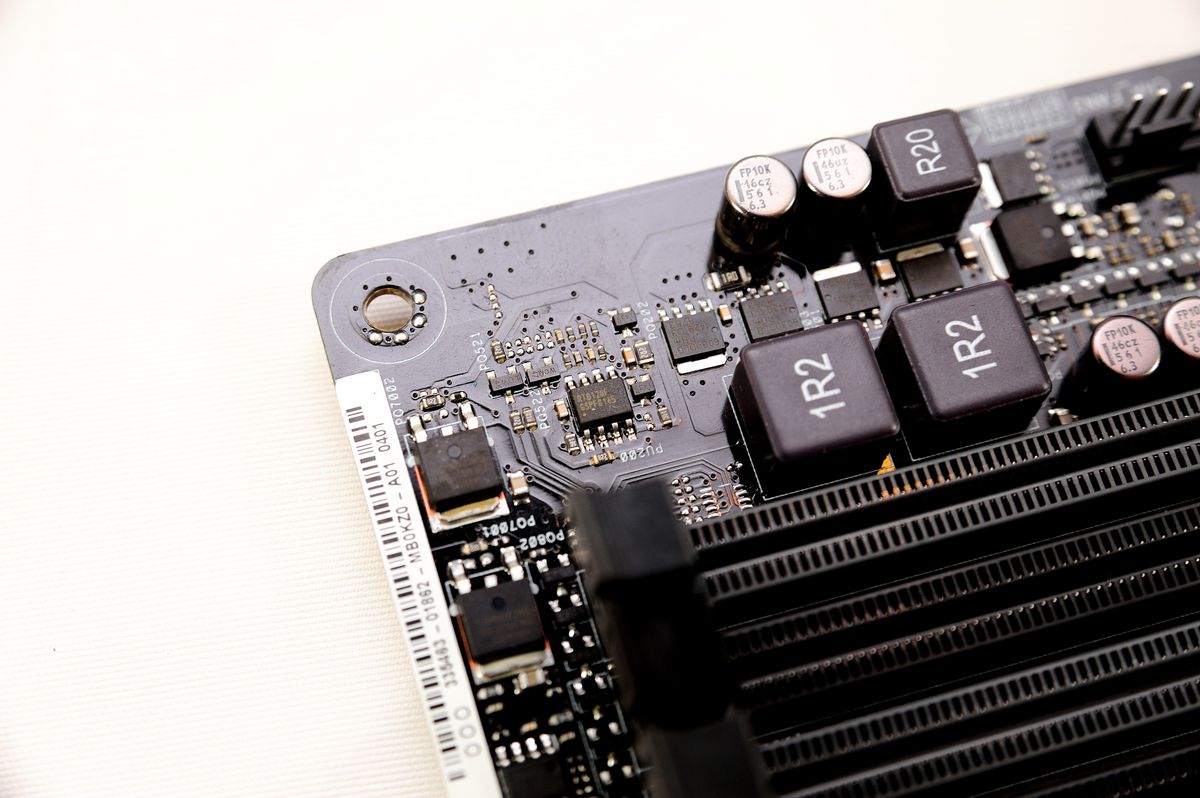
記憶體部分則是相同的手法以及元件用料,採並聯電感與2HS+2LS 的一相供電;主控則是
RT8120,但因為使用了 RT8120,並沒有辦法在軟體中進行細調,僅能在 BIOS 內部對記
憶體供電作調控。在電源插頭的上方則是有 DRAM LED ,搭配其他各處的 BOOT LED 來指
示 POST 開機流程狀況。
http://shadowsfalltw.gjisland.net/pic/asusz97pg/z97progamer11.JPG
 http://shadowsfalltw.gjisland.net/pic/asusz97pg/z97progamer12.JPG
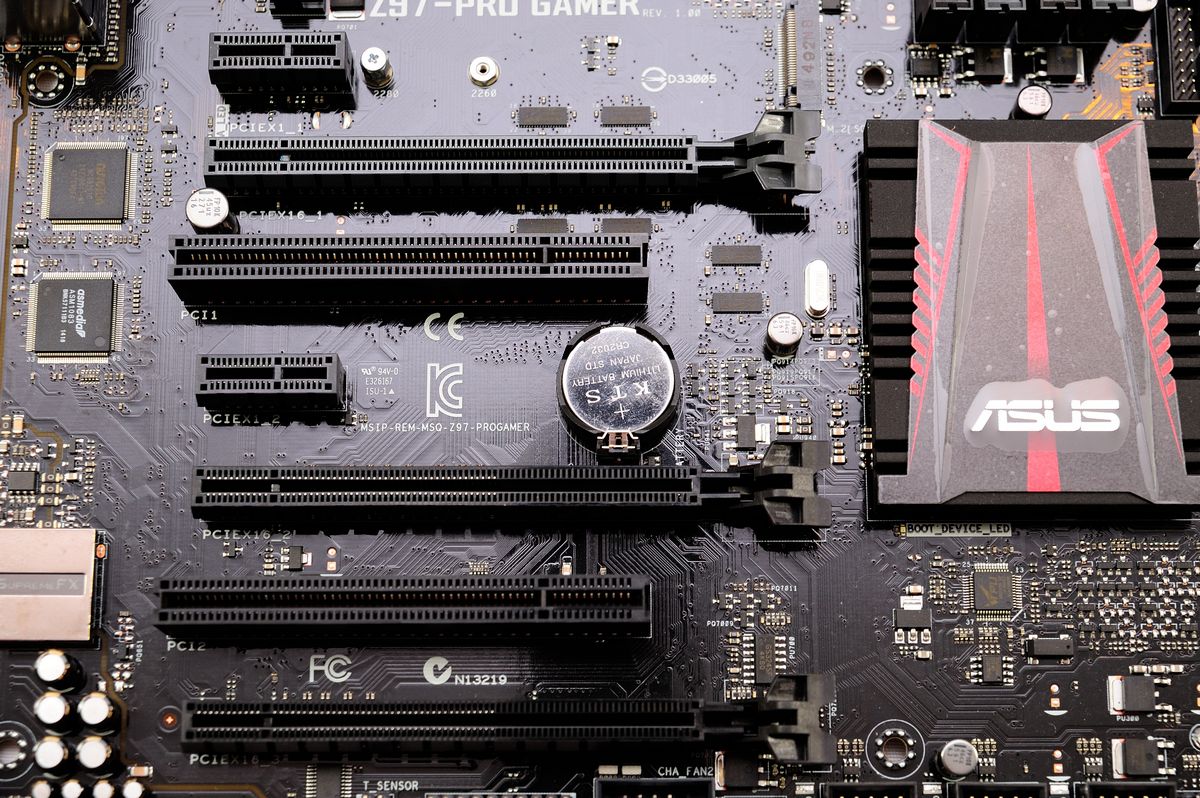
Slot 配置:
http://shadowsfalltw.gjisland.net/pic/asusz97pg/z97progamer13.JPG
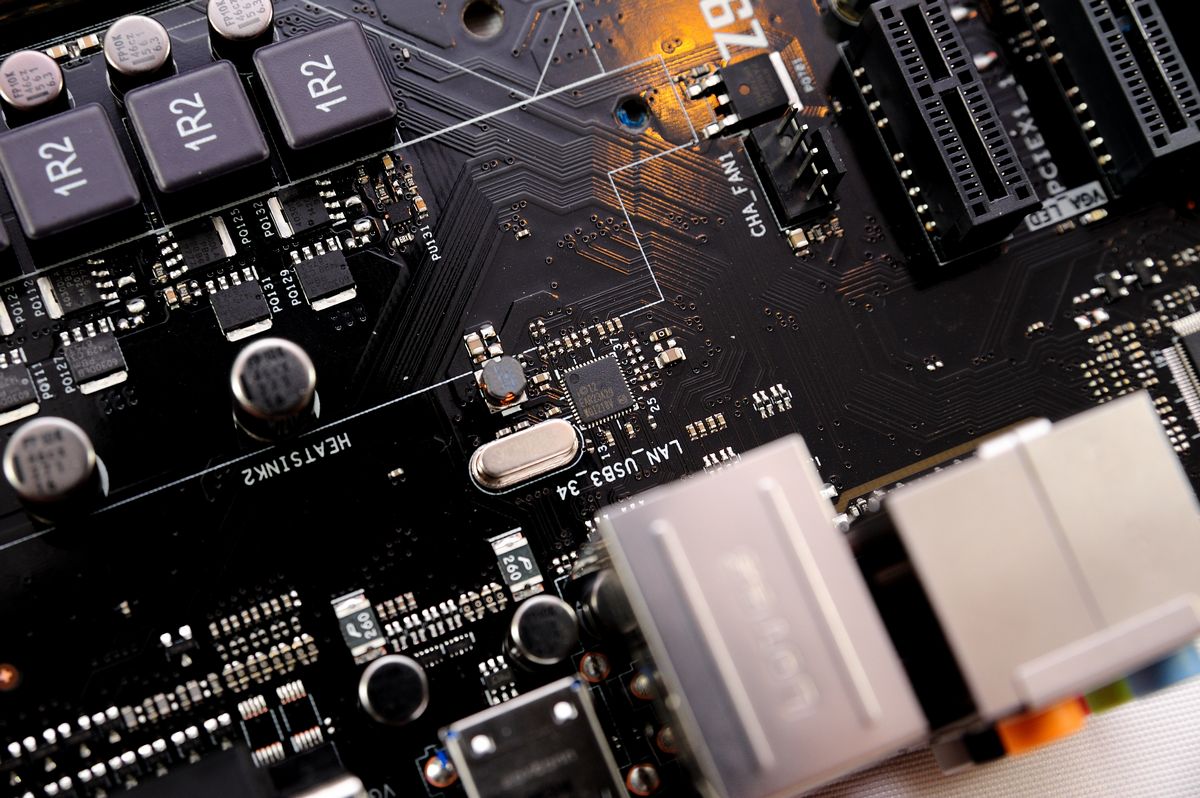
網路使用了 intel I218V PHY :
http://shadowsfalltw.gjisland.net/pic/asusz97pg/z97progamer15.JPG
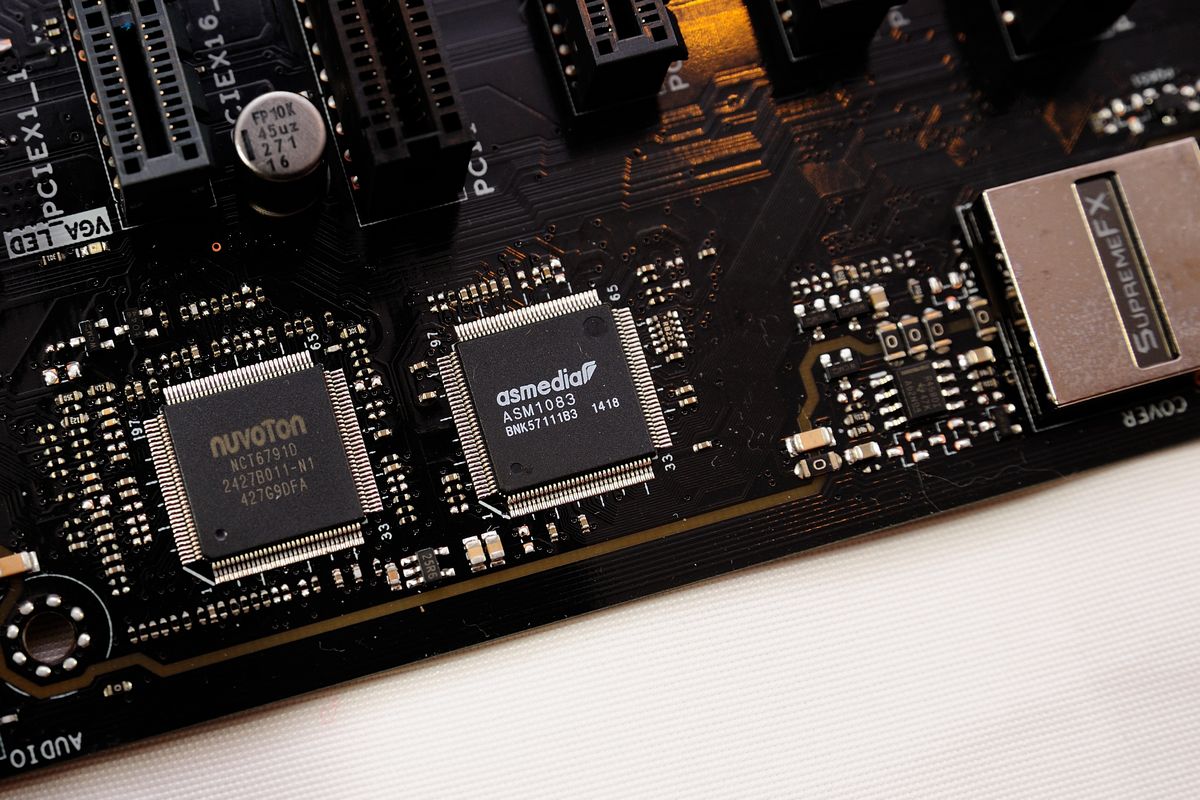
環控晶片使用 NCT6791D;ASM1083 進行PCIe 轉 PCI 信號:
http://shadowsfalltw.gjisland.net/pic/asusz97pg/z97progamer16.JPG
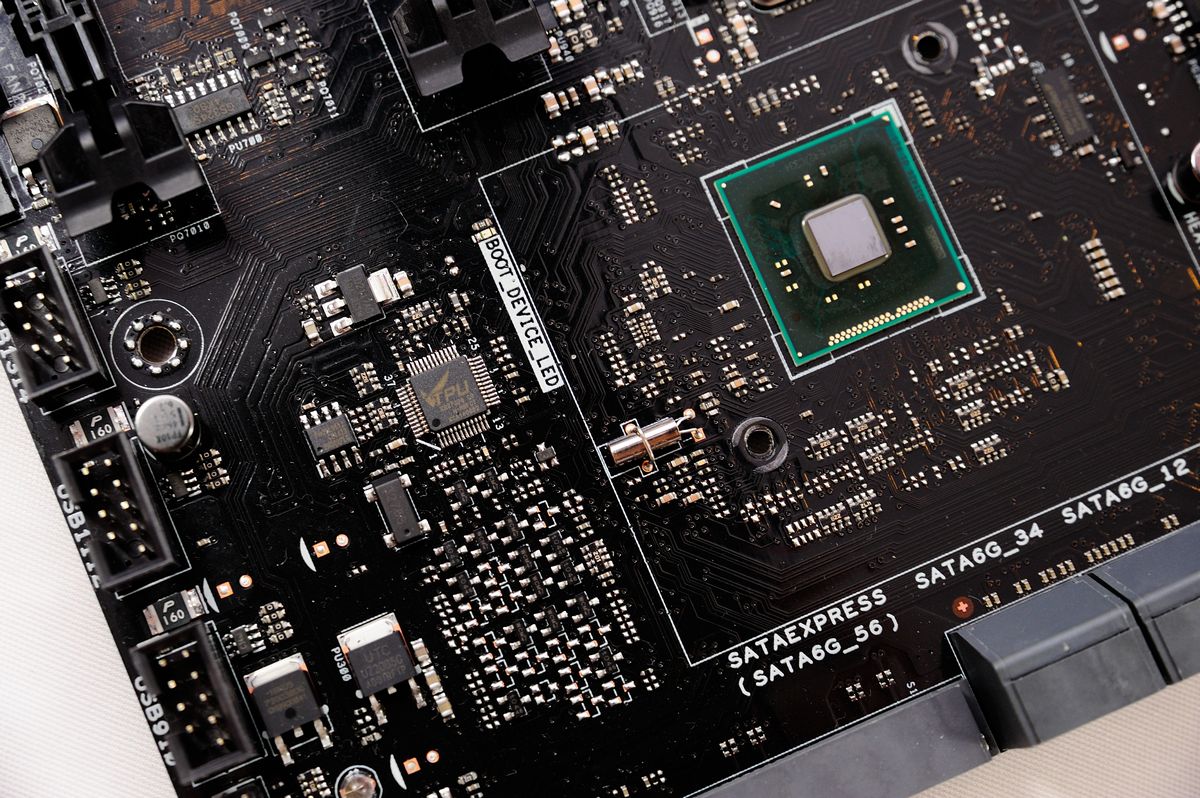
TPU :
http://shadowsfalltw.gjisland.net/pic/asusz97pg/z97progamer17.JPG
SATA I/O區塊搭載了 SATA EXPRESS,另外 SATA Port 4 與 M.2 插槽共用:
http://shadowsfalltw.gjisland.net/pic/asusz97pg/z97progamer18.JPG

音效部分使用了 SupremeFX 設計,上面的電容與 ROG 系列同樣使用了 ELNA 系列電解電
容;金屬遮蔽罩有確實接地。
http://shadowsfalltw.gjisland.net/pic/asusz97pg/z97progamer22.JPG
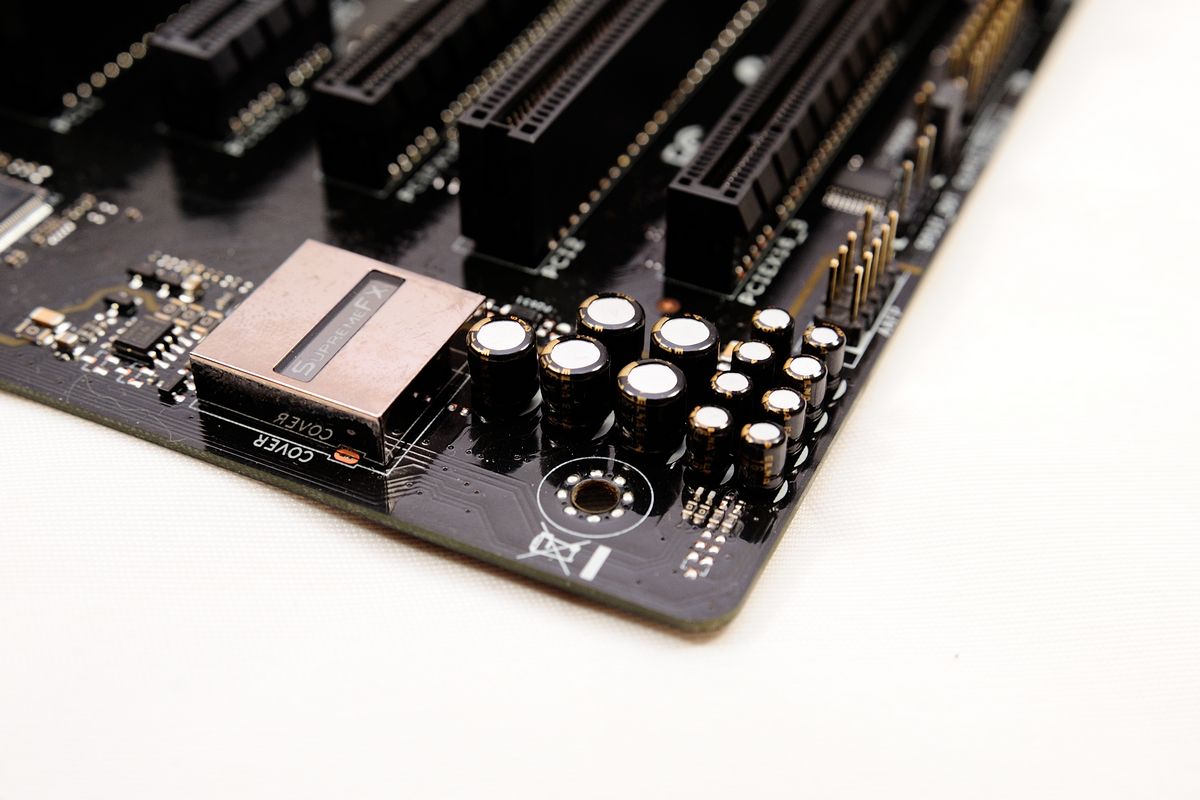
耳擴使用的 OPA 則是 TI RC4580:
http://shadowsfalltw.gjisland.net/pic/asusz97pg/z97progamer23.JPG
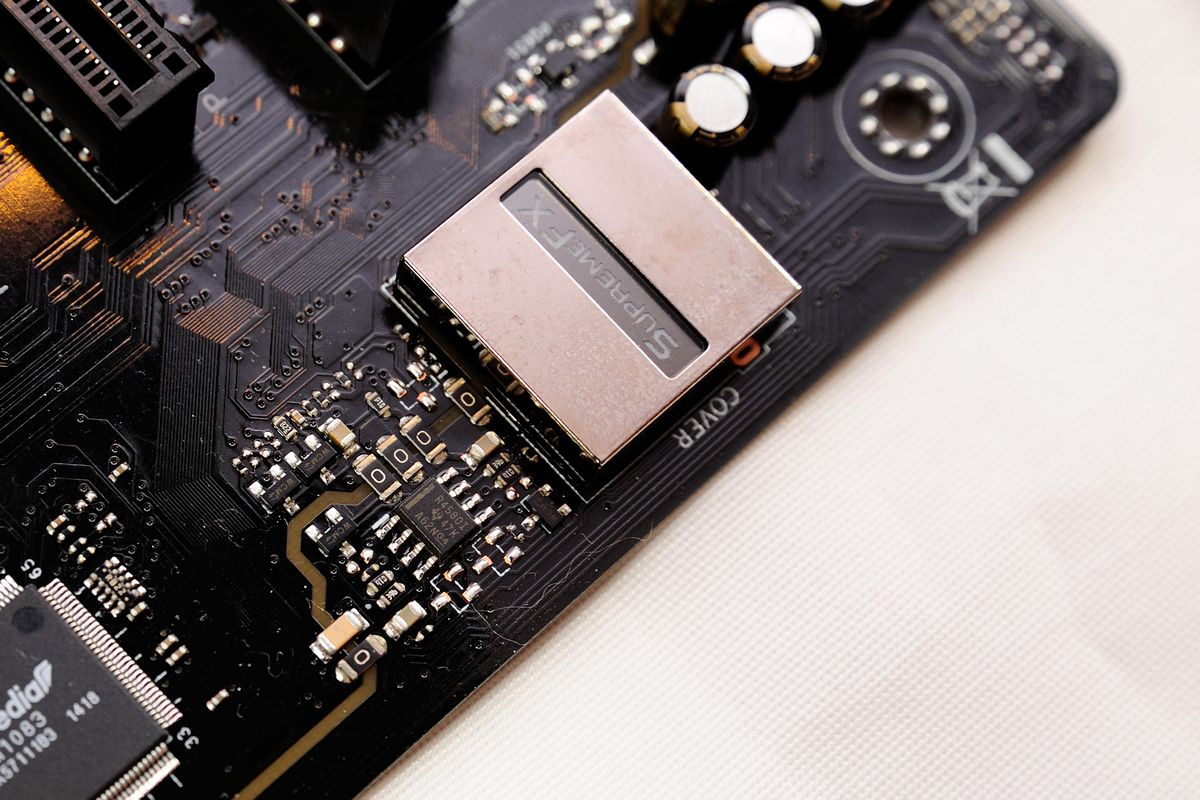
背面的切割槽線則是與先前開箱的 ROG M7H 相同:
http://shadowsfalltw.gjisland.net/pic/asusz97pg/z97progamer24.JPG
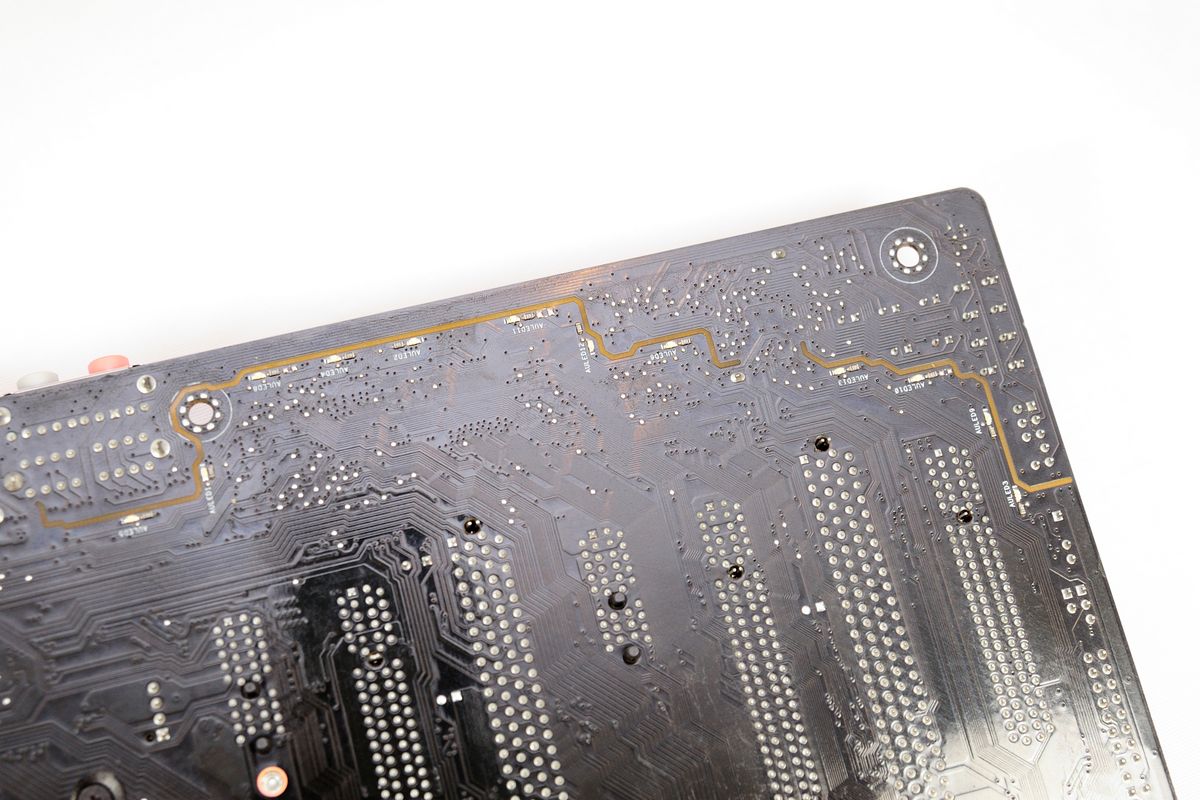
背面部分:可以看到並沒有多餘的 MOS Driver,因此大致上可以排除了八相的可能
http://shadowsfalltw.gjisland.net/pic/asusz97pg/z97progamer25.JPG

槽線部分同樣是使用紅色 LED 製造發光效果:
http://shadowsfalltw.gjisland.net/pic/asusz97pg/z97progamer26.JPG

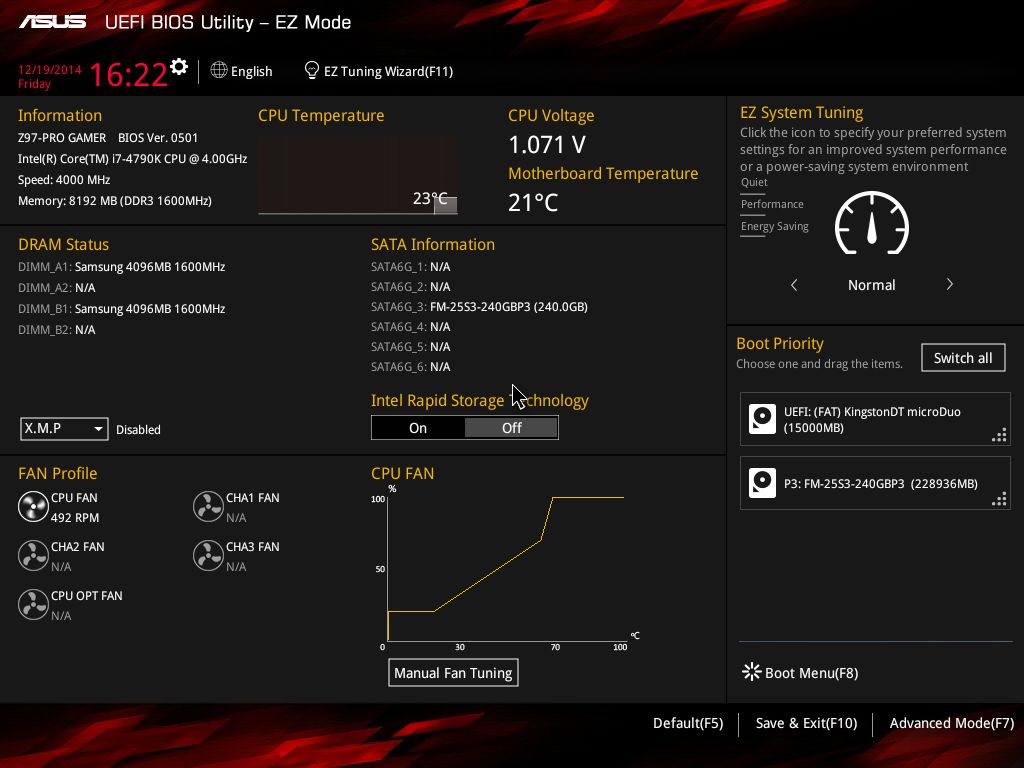
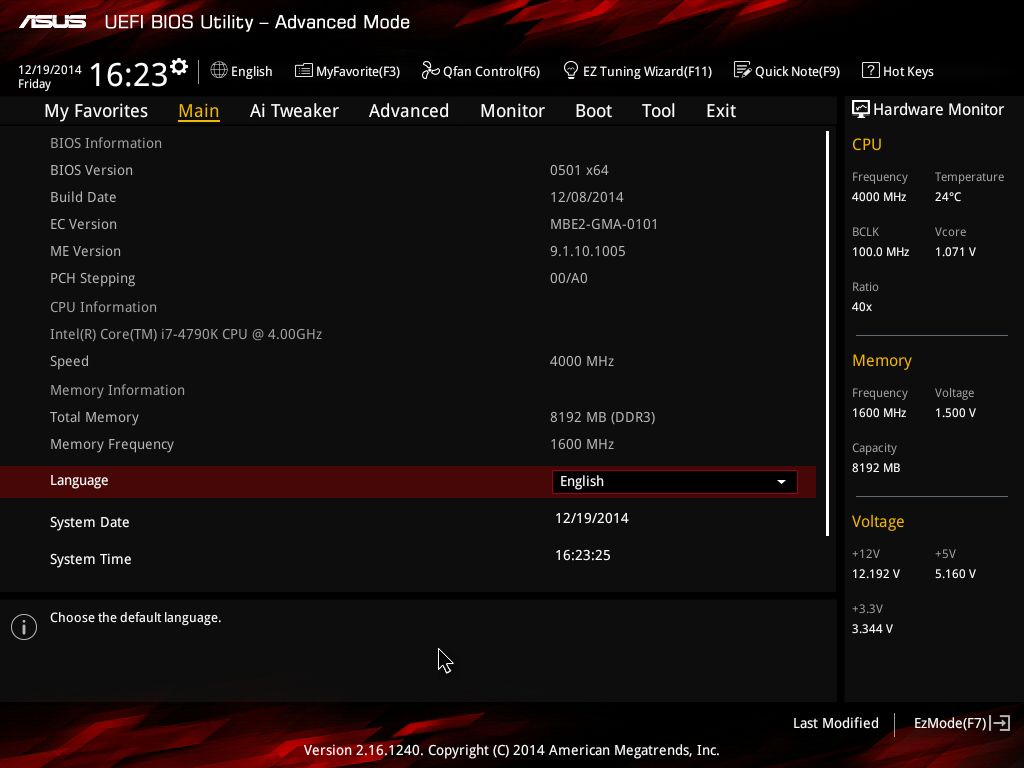
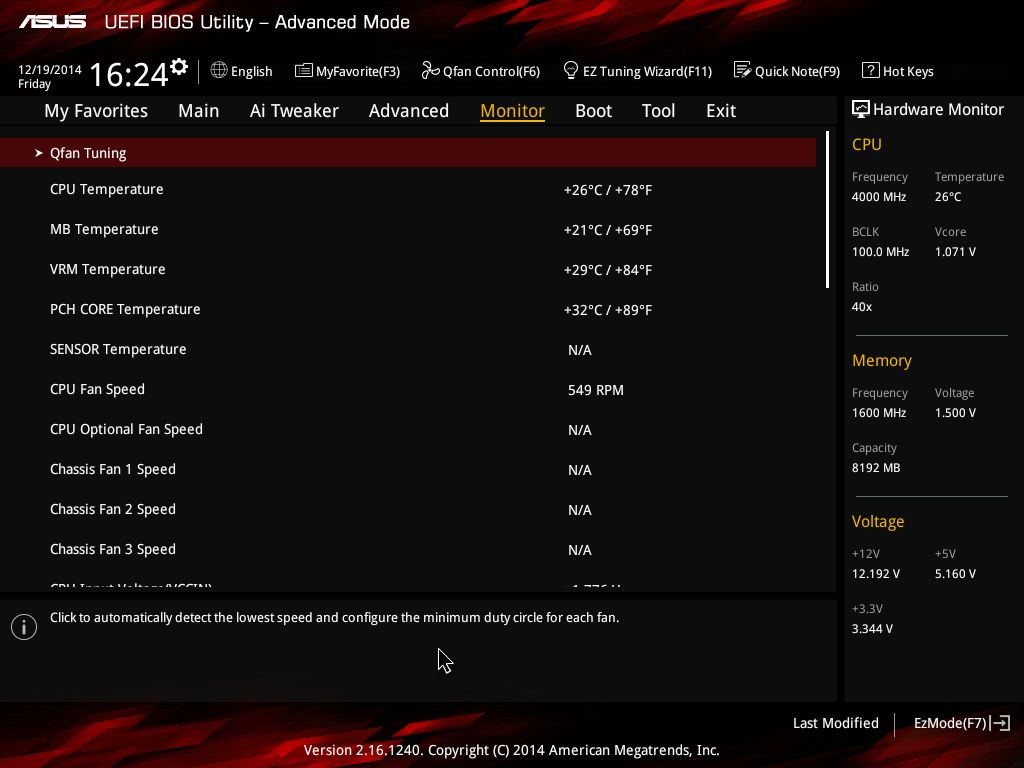
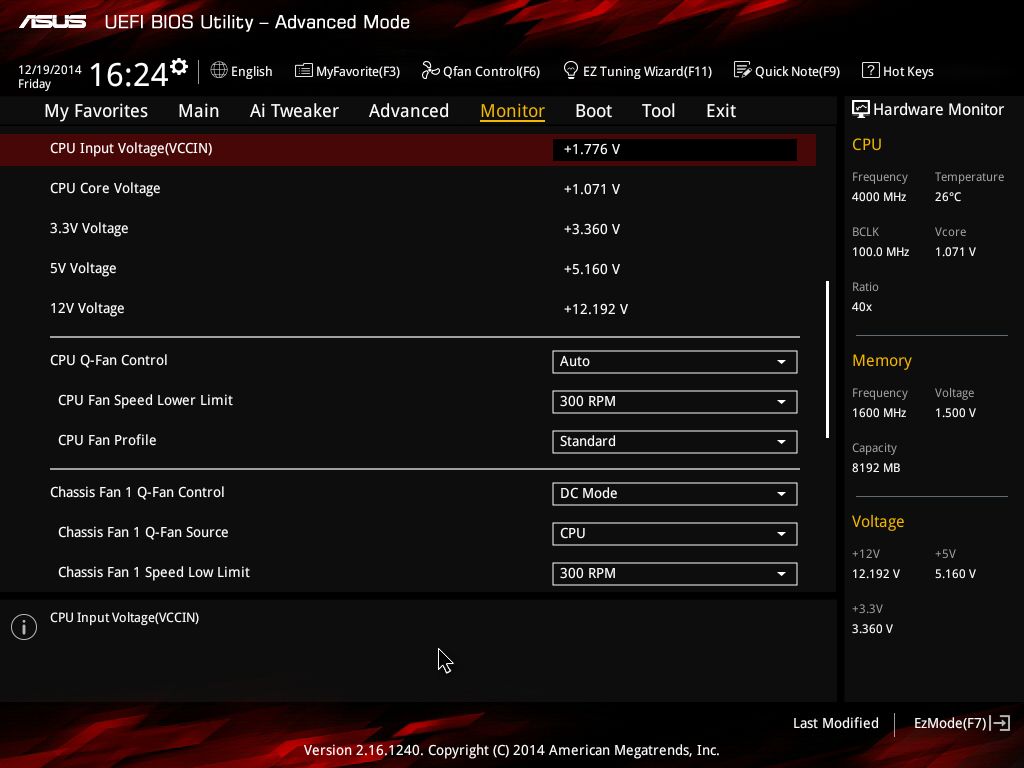
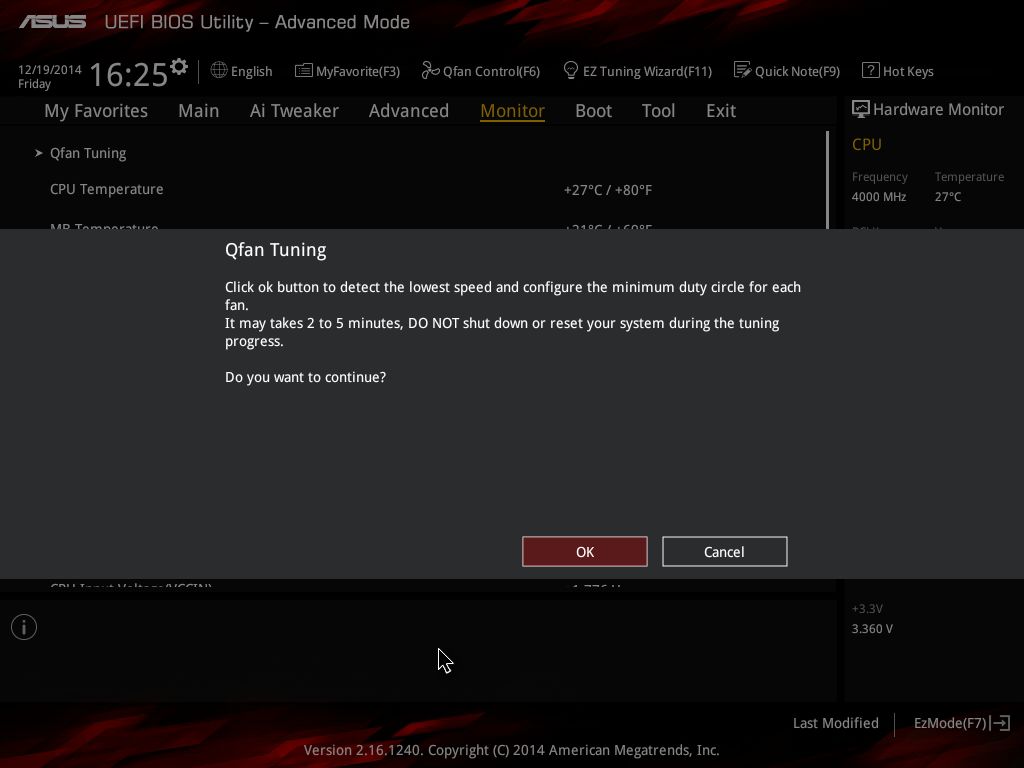
BIOS部分挑選部分截圖,Z97-PRO GAMER 的布局與一般的通路系列主機板相同,但是配色
也一併換成紅黑配色。
http://shadowsfalltw.gjisland.net/pic/asusz97pg/z97pgbios01.jpg
 http://shadowsfalltw.gjisland.net/pic/asusz97pg/z97pgbios02.jpg
 http://shadowsfalltw.gjisland.net/pic/asusz97pg/z97pgbios07.jpg
 http://shadowsfalltw.gjisland.net/pic/asusz97pg/z97pgbios08.jpg
 http://shadowsfalltw.gjisland.net/pic/asusz97pg/z97pgbios10.jpg
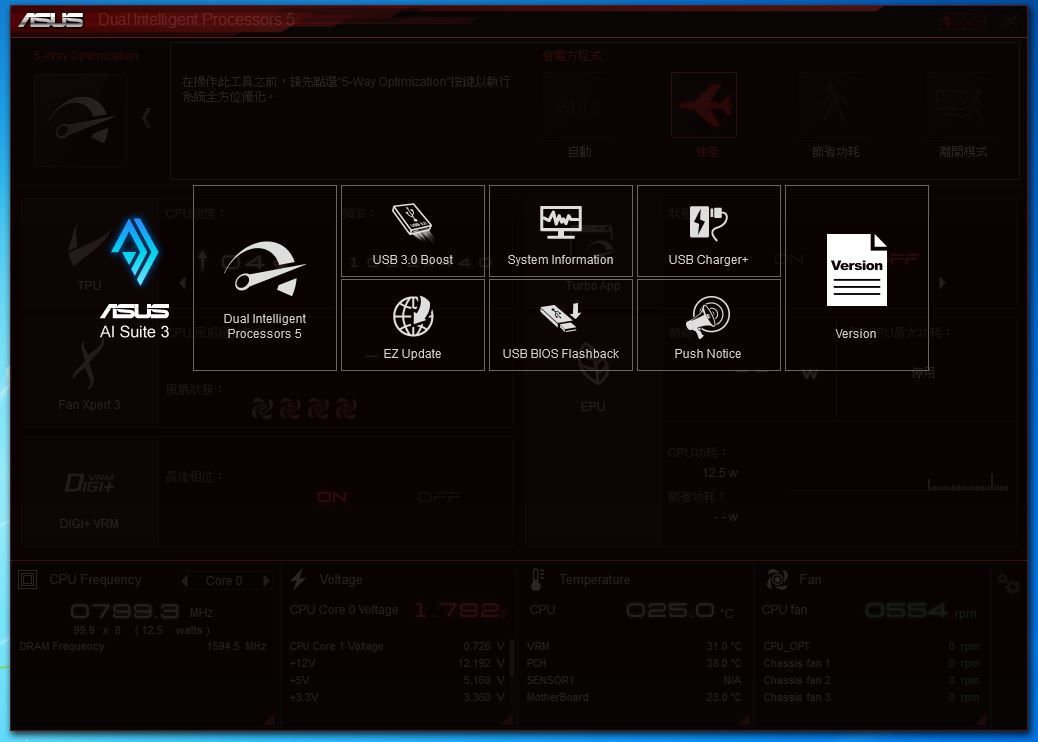
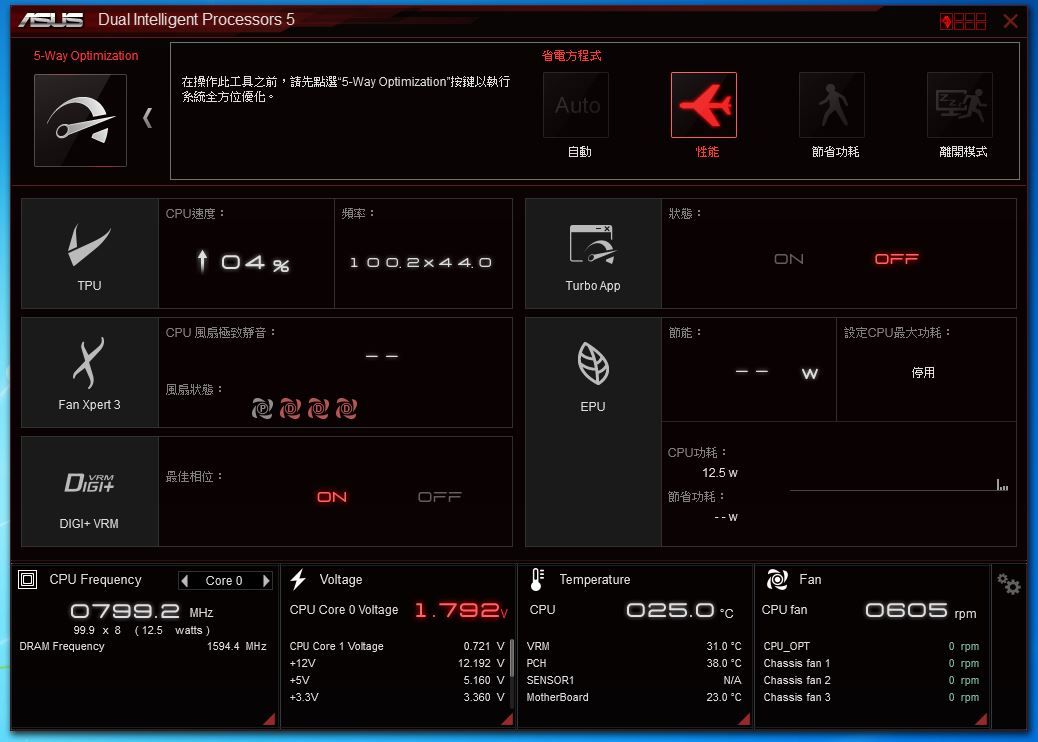
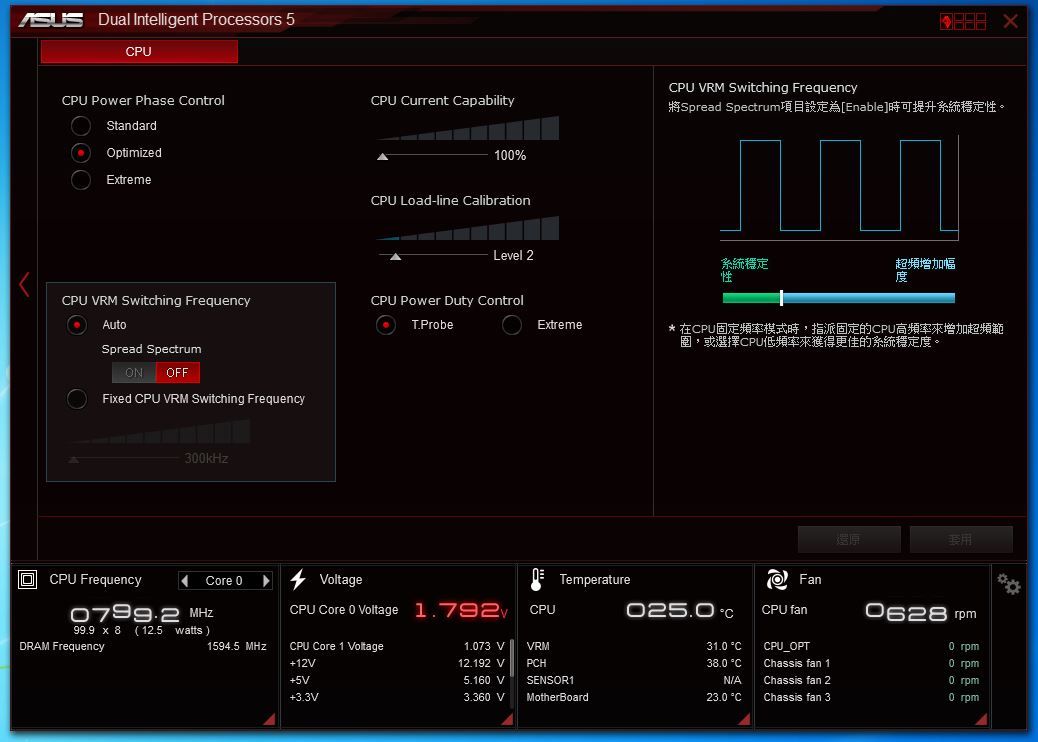
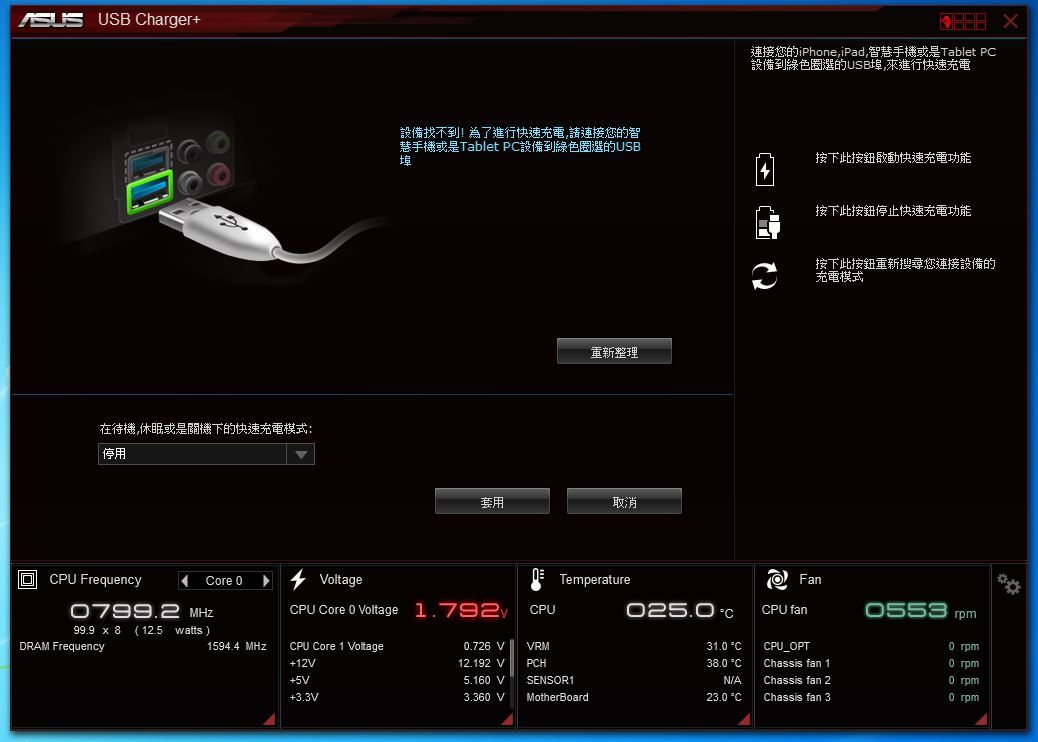
在搭配的軟體部分,主要的控制介面還是 Ai Suite 3 提供整合一站式控制;在性能調校
的部分,Z97 世代將Dual Intelligent Processors 技術,也就是 EPU、TPU 升級到了第
五代,但因為 Z97-Pro Gamer 功能畢竟還是有限縮,在可用的選項自然沒有正規的 ROG
多,但絕大部分的超頻機制,尤其是 CPU 部分並沒有差別太多。
http://shadowsfalltw.gjisland.net/pic/asusz97pg/as0.JPG
 http://shadowsfalltw.gjisland.net/pic/asusz97pg/as1.JPG
http://shadowsfalltw.gjisland.net/pic/asusz97pg/as8.JPG
 http://shadowsfalltw.gjisland.net/pic/asusz97pg/as10.JPG
 http://shadowsfalltw.gjisland.net/pic/asusz97pg/as11.JPG
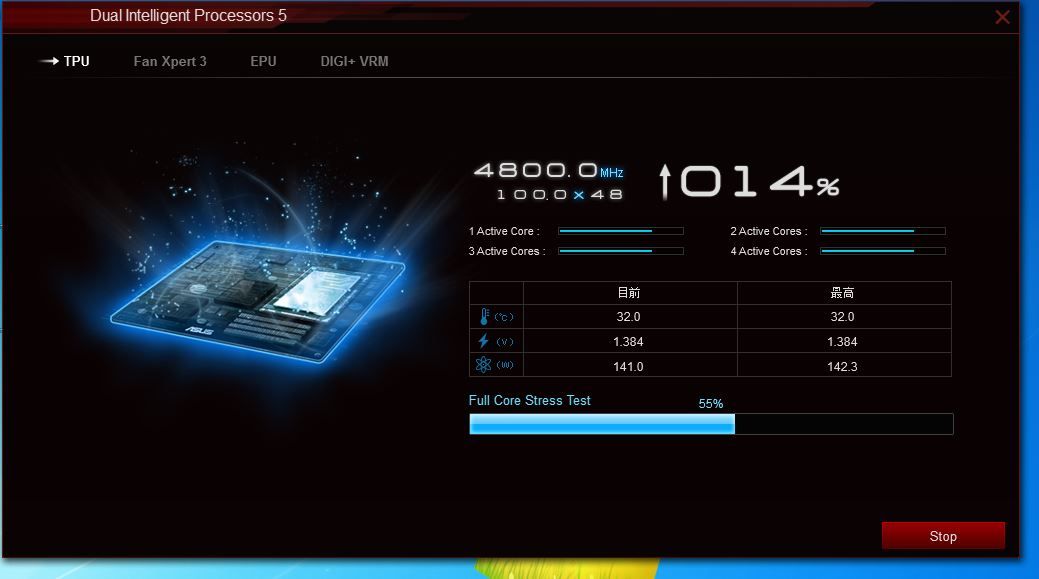
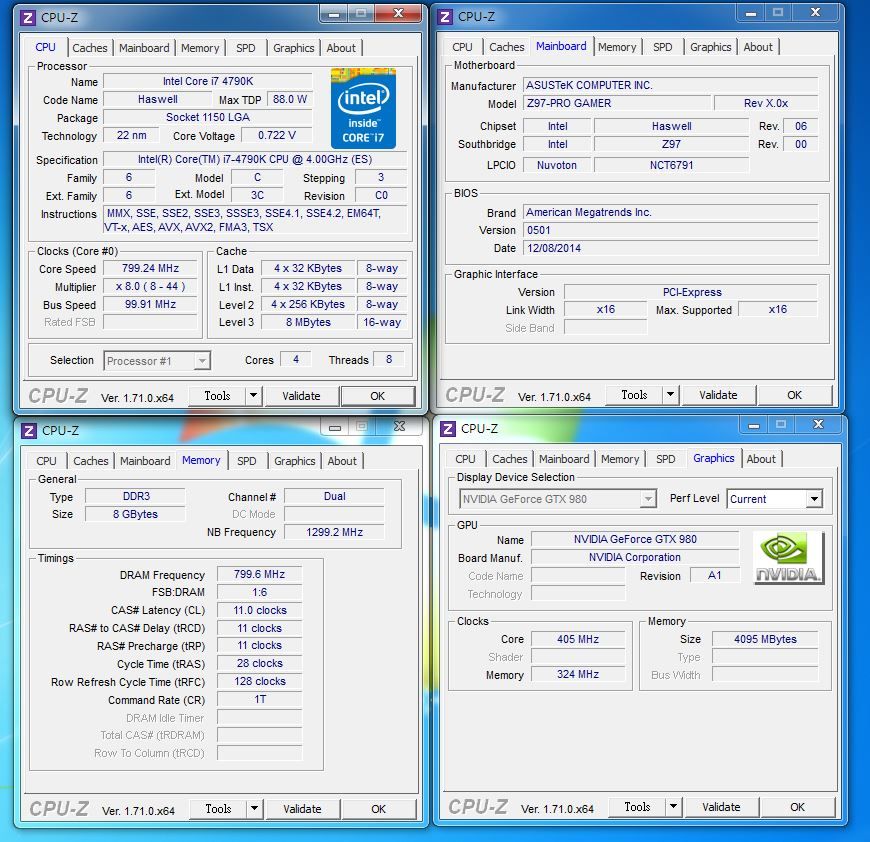
接下來簡單測試整體性能,測試平台:
CPU: Intel Core i7-4790K @預設值/ 4600MHz Auto
主機板: ASUS Z97-PRO GAMER
記憶體: Samsung DDR-1600 4GB*2 Auto
電源供應器: THORTECH Thunderbolt 1200W
儲存裝置: G.skill Phoenix III 240GB
顯示卡: NVIDIA Geforce GTX980
CPU-Z:
http://shadowsfalltw.gjisland.net/pic/asusz97pg/system.JPG
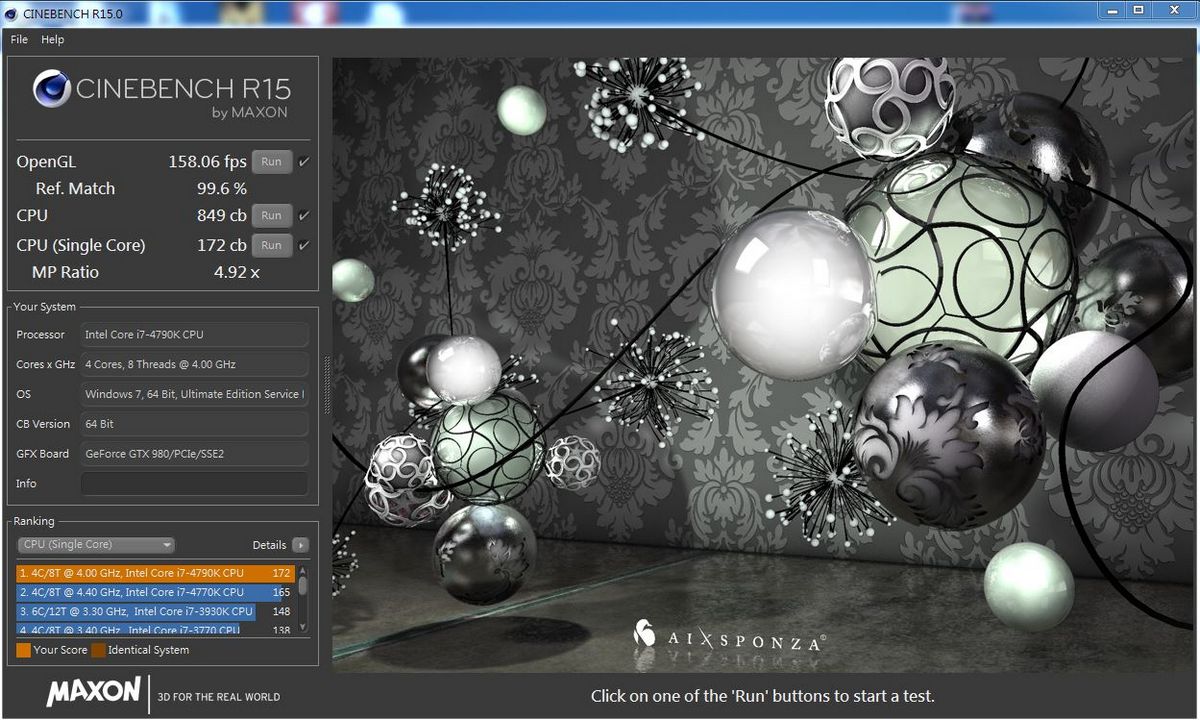
Cinebench:
http://shadowsfalltw.gjisland.net/pic/asusz97pg/cine.JPG
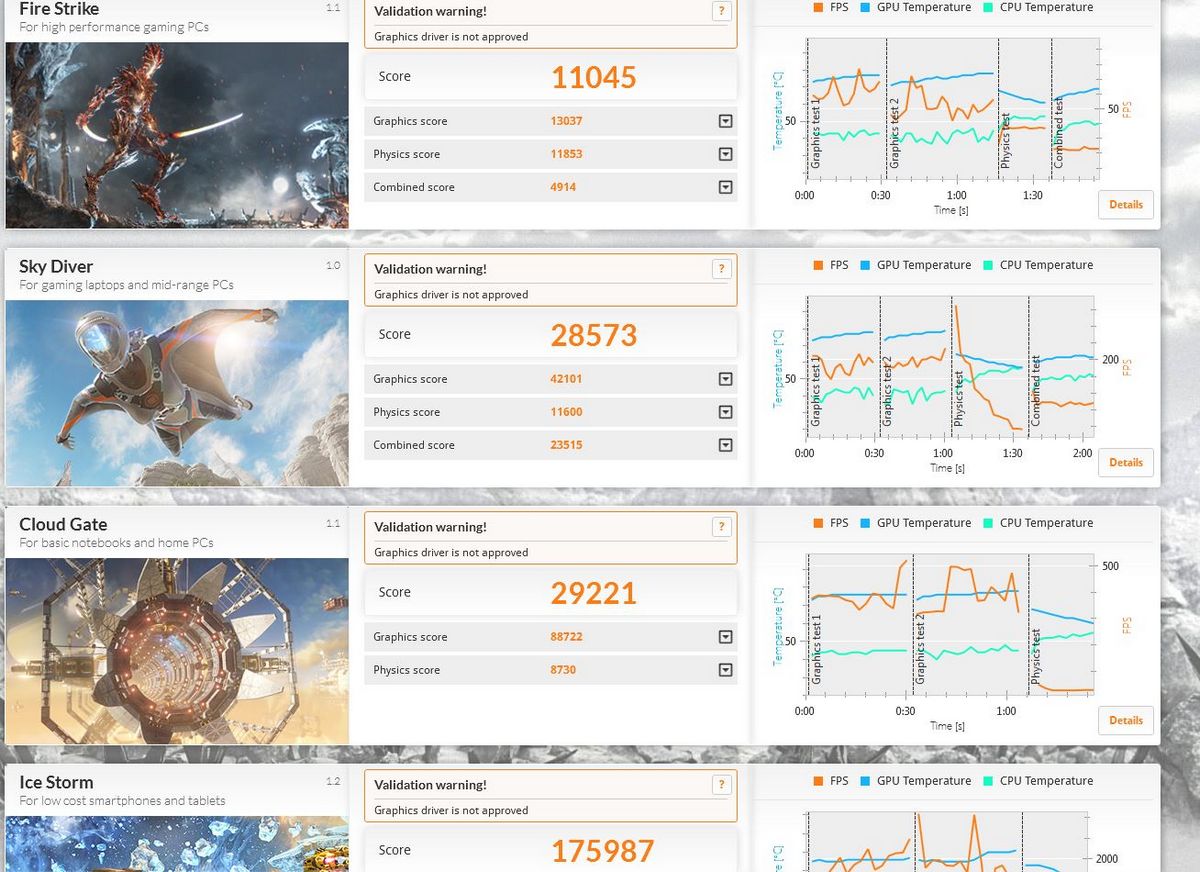
3DMARK:
http://shadowsfalltw.gjisland.net/pic/asusz97pg/3dm.JPG
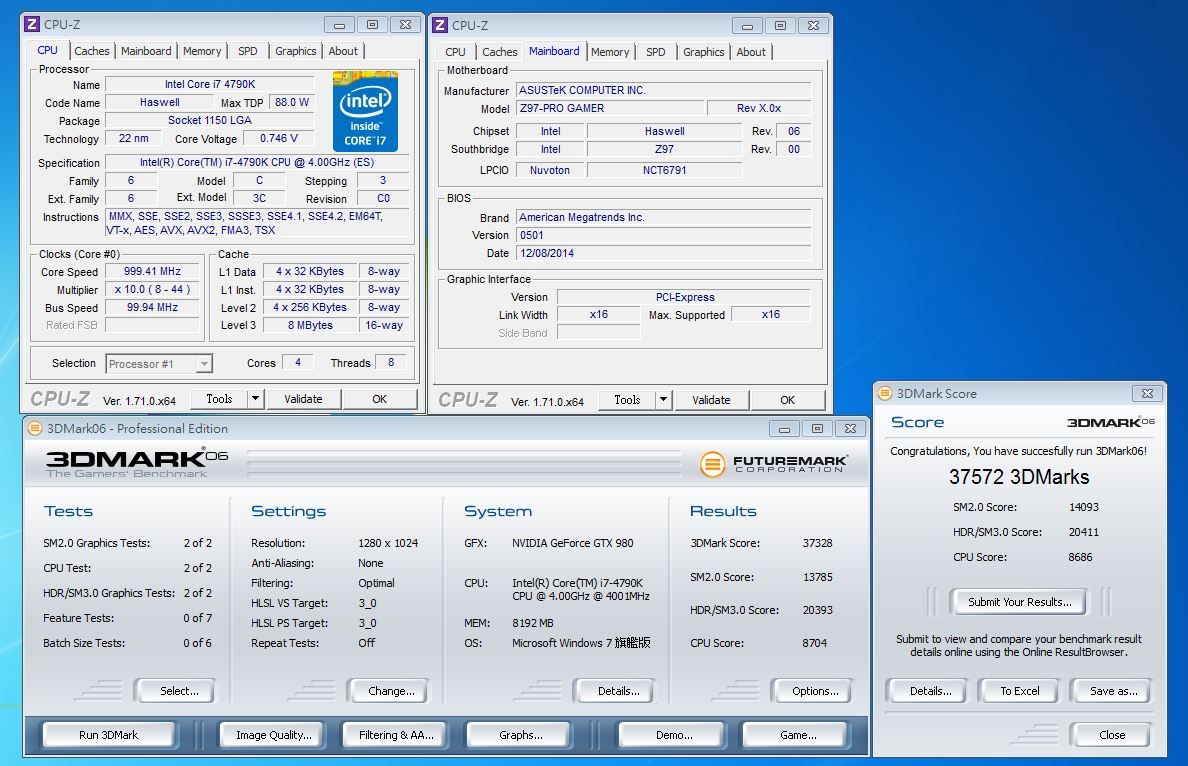
3DMARK06:
http://shadowsfalltw.gjisland.net/pic/asusz97pg/3dm06.JPG
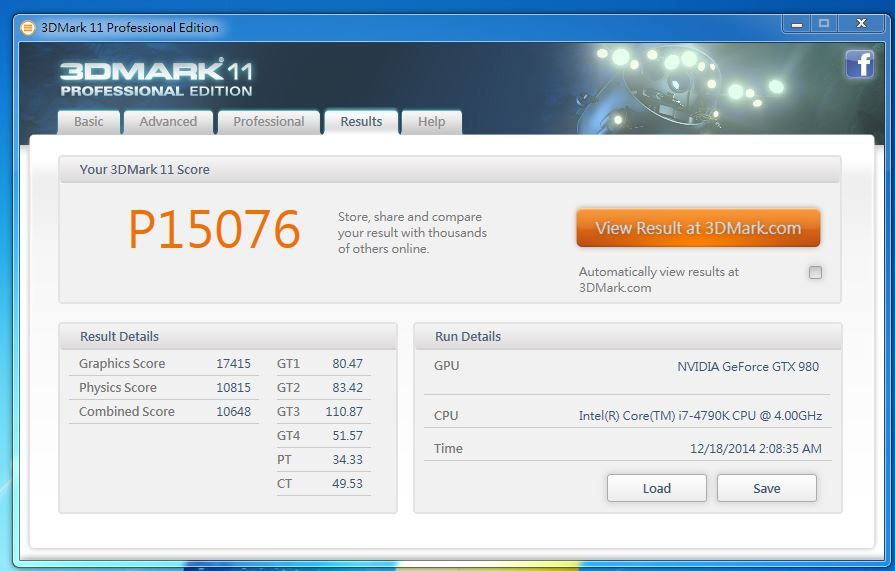
3DMARK11:
http://shadowsfalltw.gjisland.net/pic/asusz97pg/3dm11p.JPG
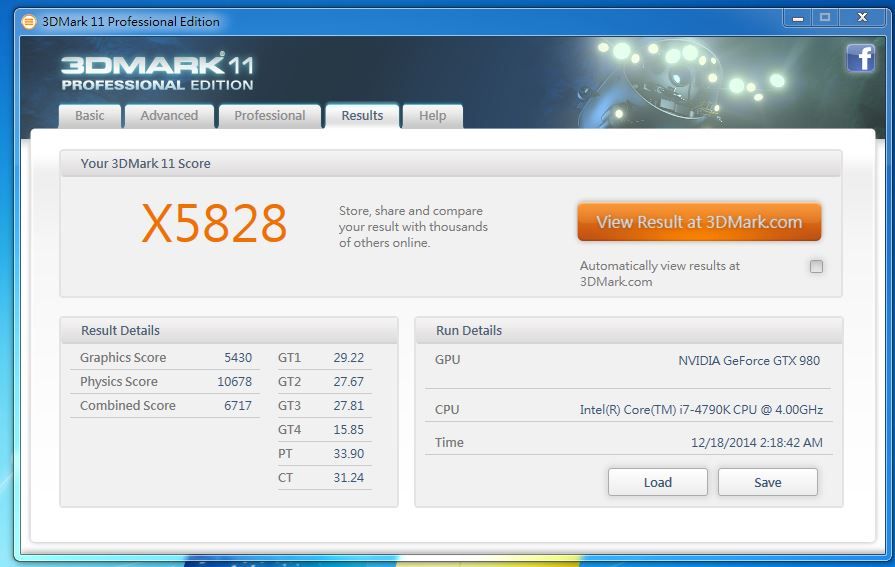
 http://shadowsfalltw.gjisland.net/pic/asusz97pg/3dm11x.JPG
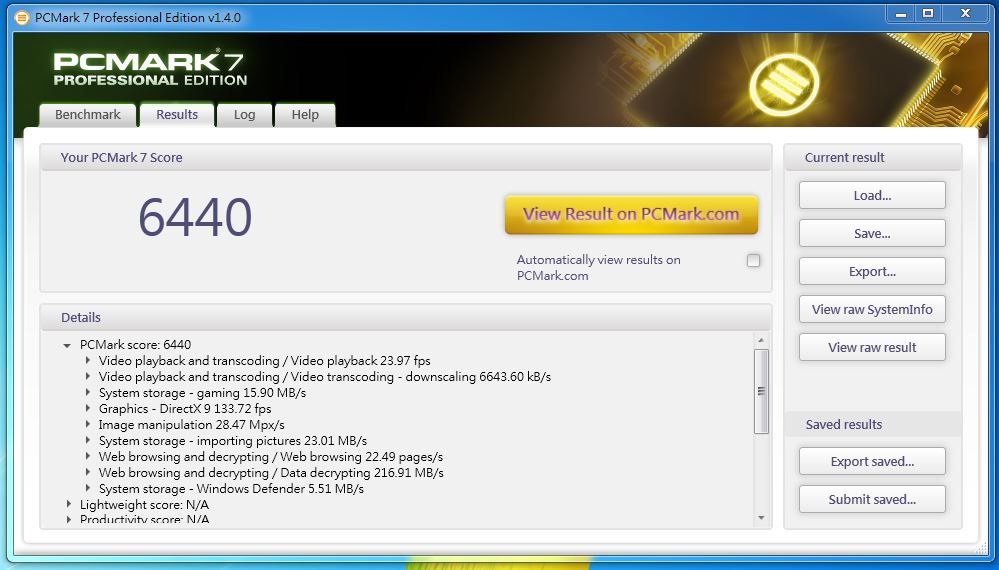
PCMARK 7:
http://shadowsfalltw.gjisland.net/pic/asusz97pg/pcm7.JPG
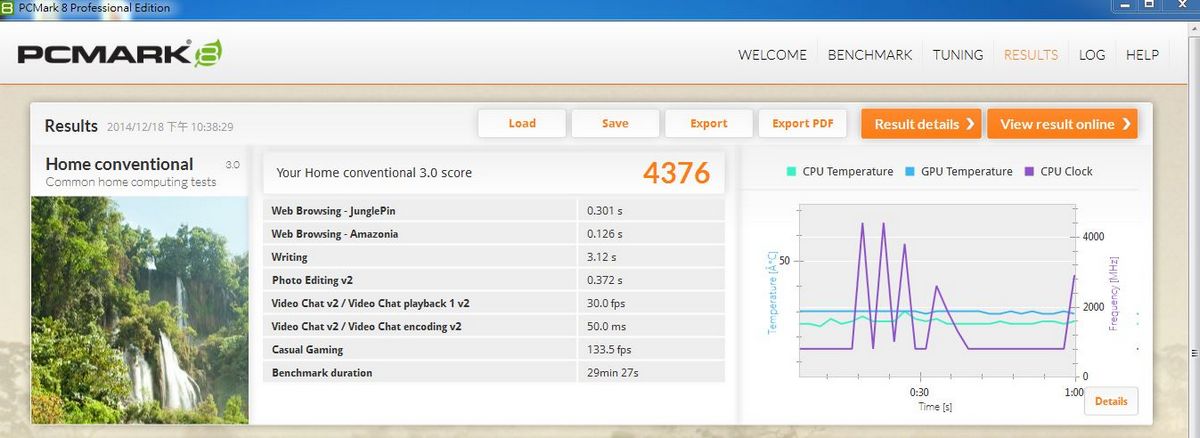
PCMARK 8
http://shadowsfalltw.gjisland.net/pic/asusz97pg/pcm8conv.JPG
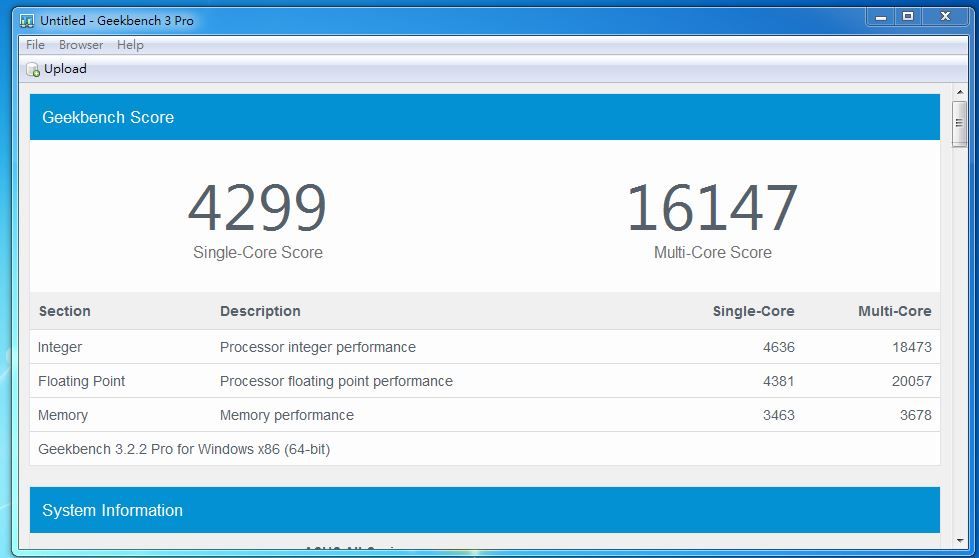
GeekBench:
http://shadowsfalltw.gjisland.net/pic/asusz97pg/geek.JPG
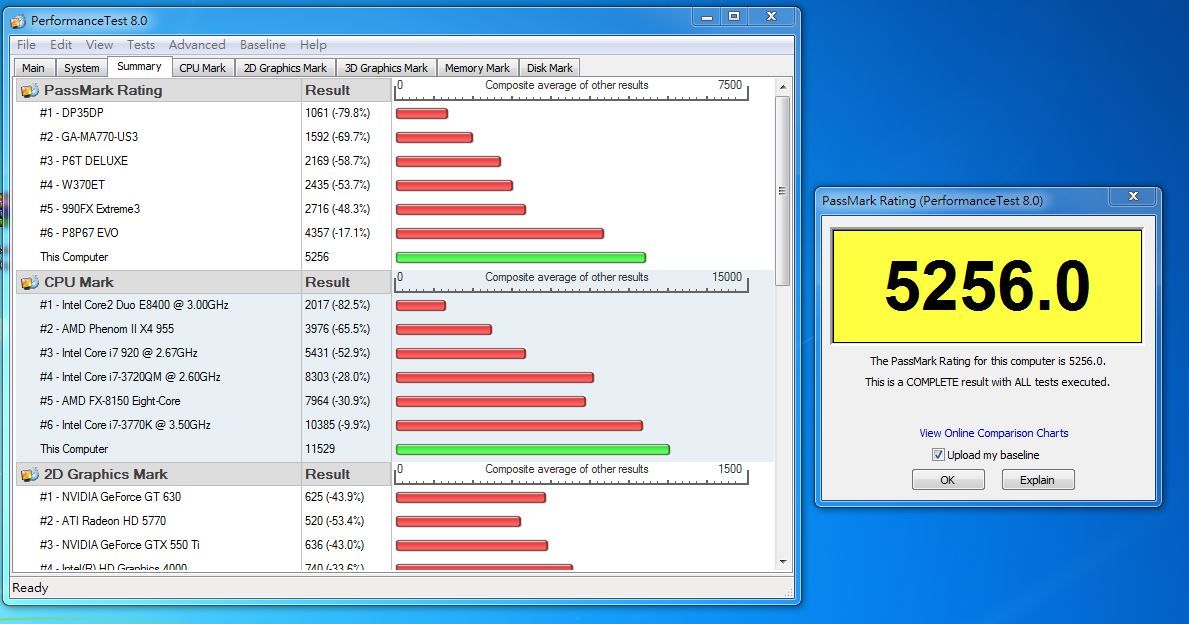
Peformance Test 8:
http://shadowsfalltw.gjisland.net/pic/asusz97pg/pt8.JPG
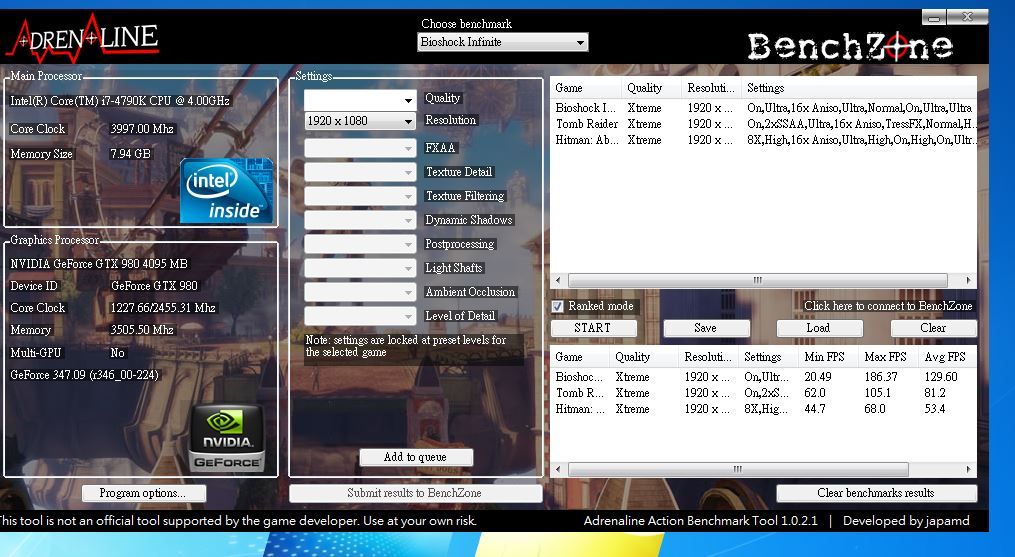
遊戲測試:
http://shadowsfalltw.gjisland.net/pic/asusz97pg/games.JPG
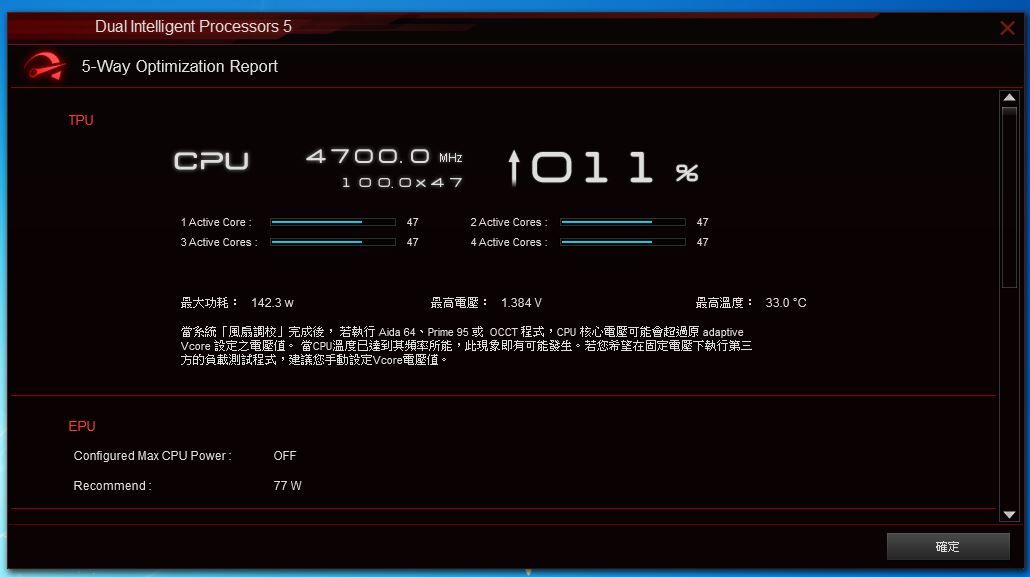
超頻數據直接透過 5-Way Optimization 達成,最後的結果是 4.7GHz。
http://shadowsfalltw.gjisland.net/pic/asusz97pg/as12.JPG
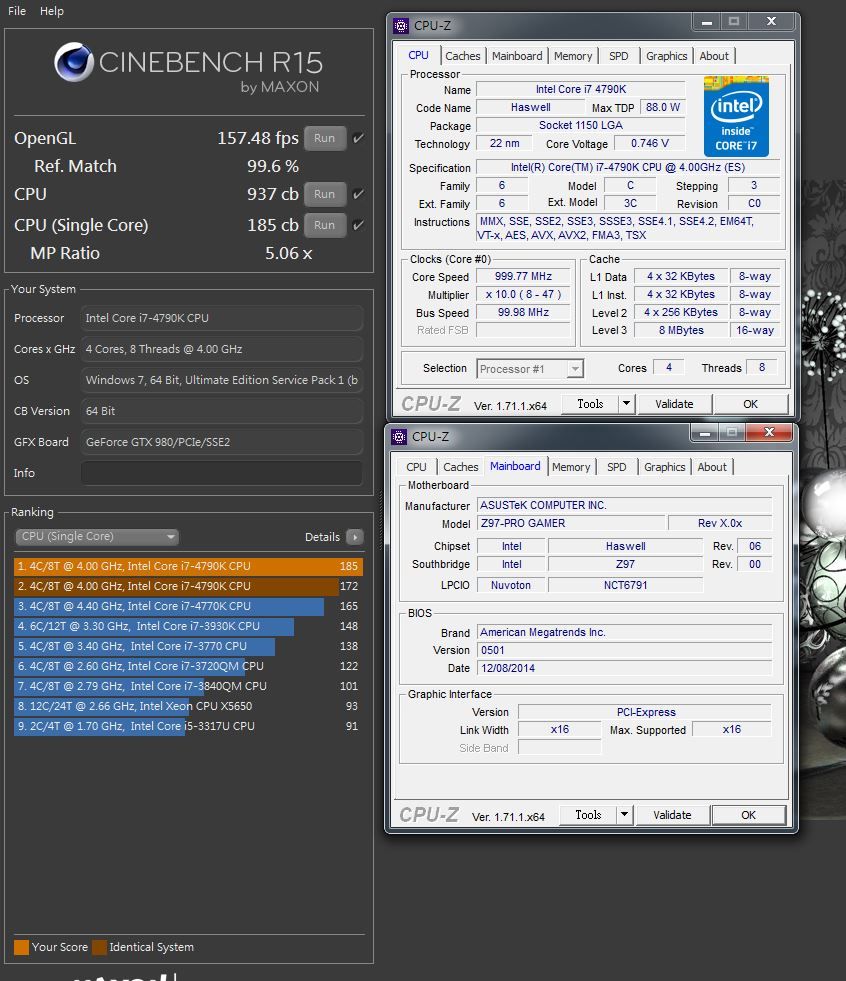
Cinebench:
http://shadowsfalltw.gjisland.net/pic/asusz97pg/cineoc.JPG
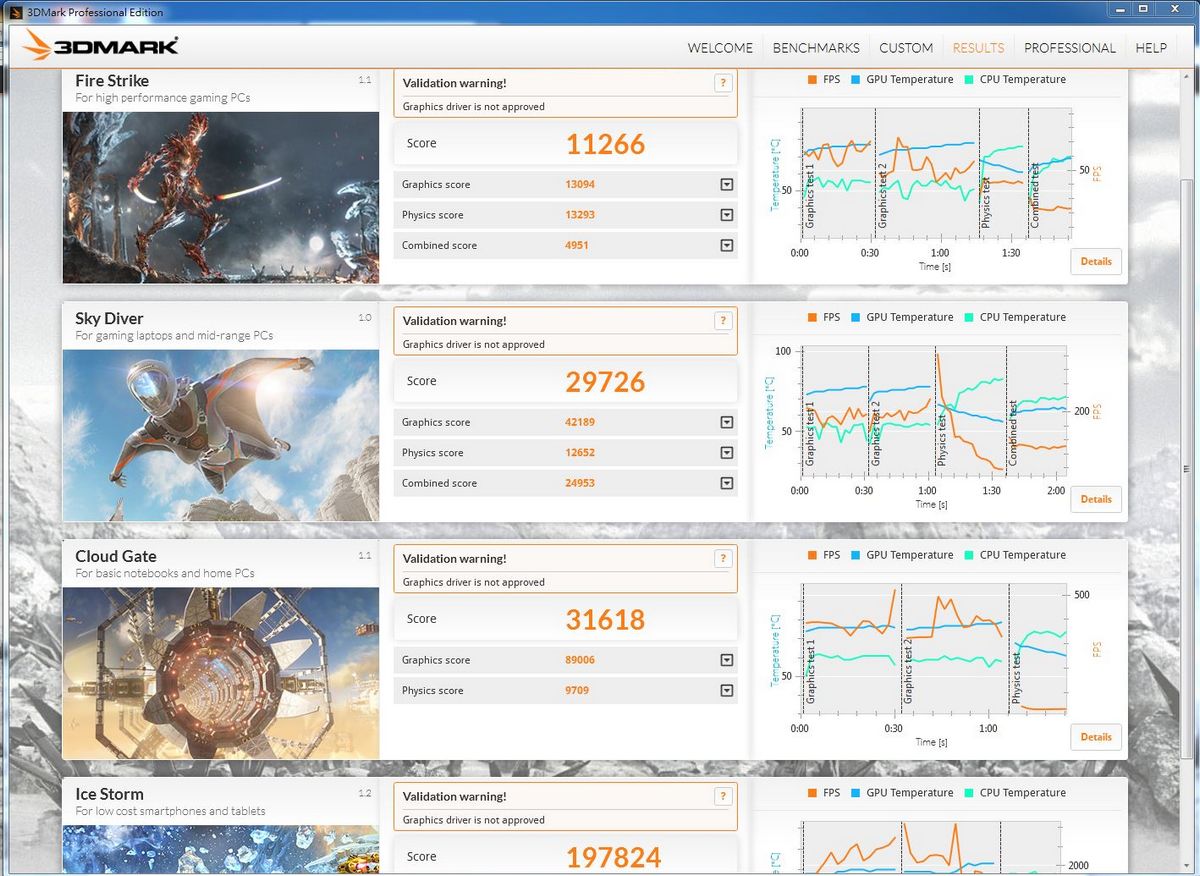
3DMARK:
http://shadowsfalltw.gjisland.net/pic/asusz97pg/3dmoc.JPG
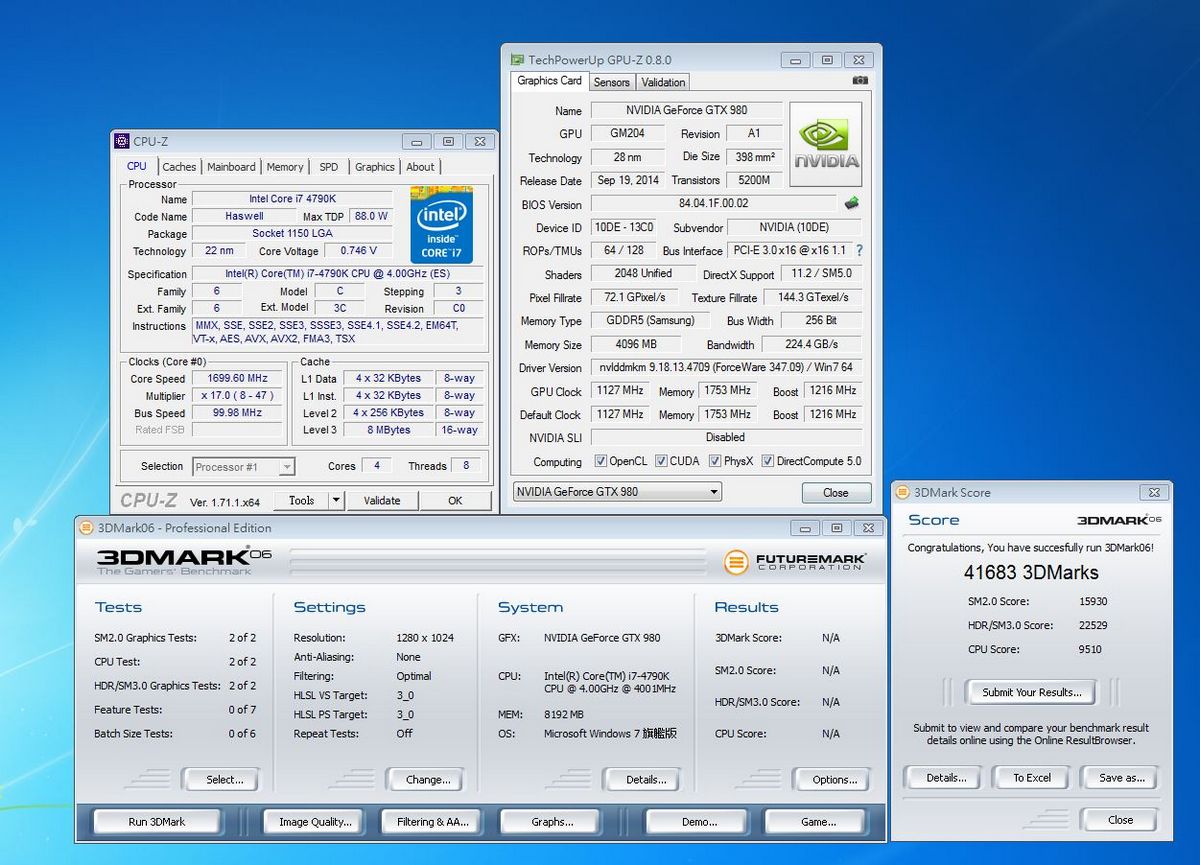
3DMARK06:
http://shadowsfalltw.gjisland.net/pic/asusz97pg/3dm06oc.JPG
3DMARK11:
http://shadowsfalltw.gjisland.net/pic/asusz97pg/3dm11poc.JPG
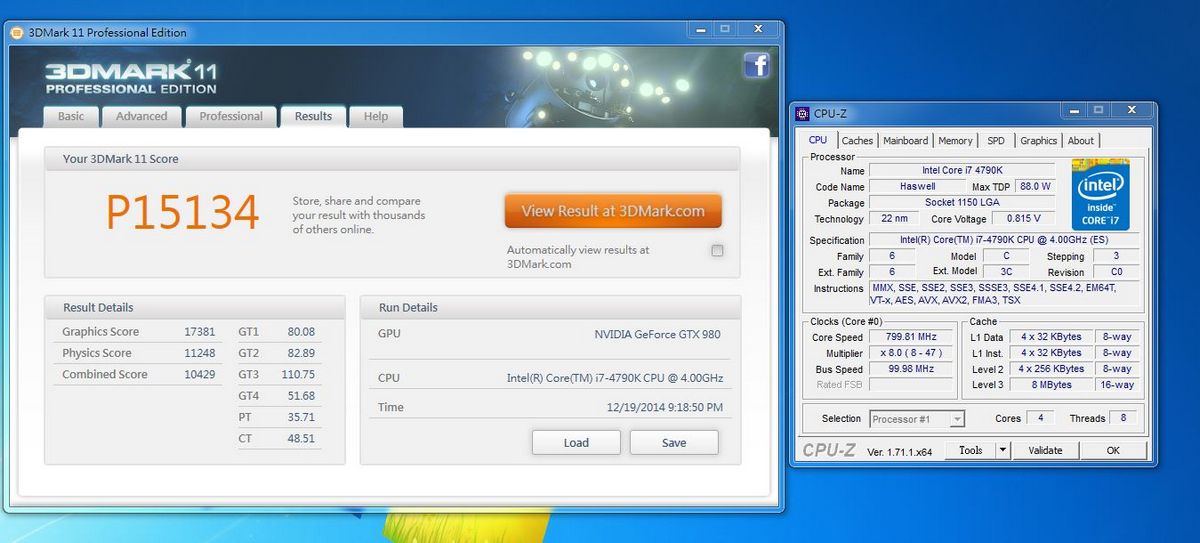 http://shadowsfalltw.gjisland.net/pic/asusz97pg/3dm11xoc.JPG
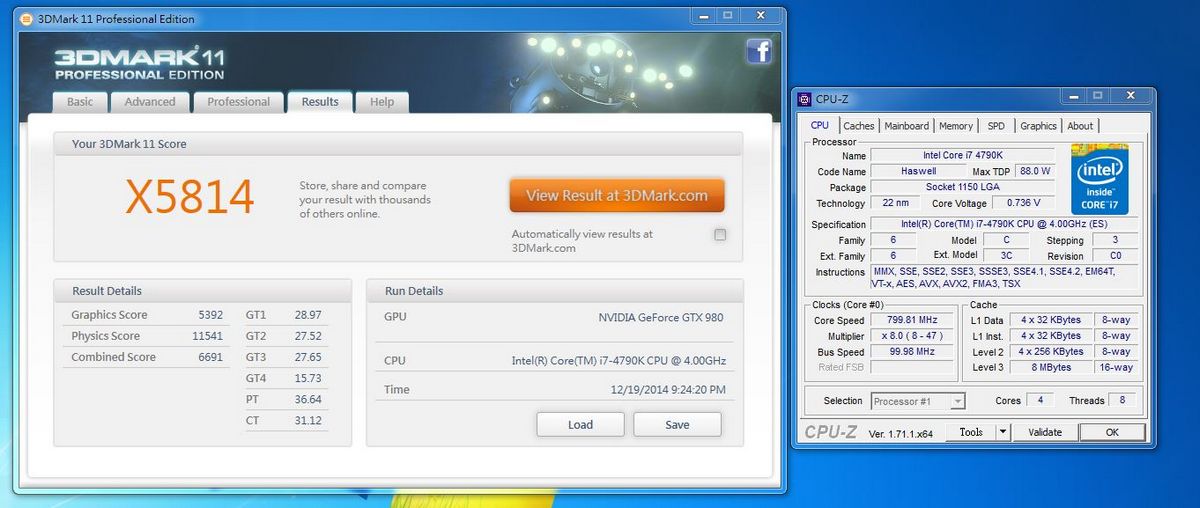
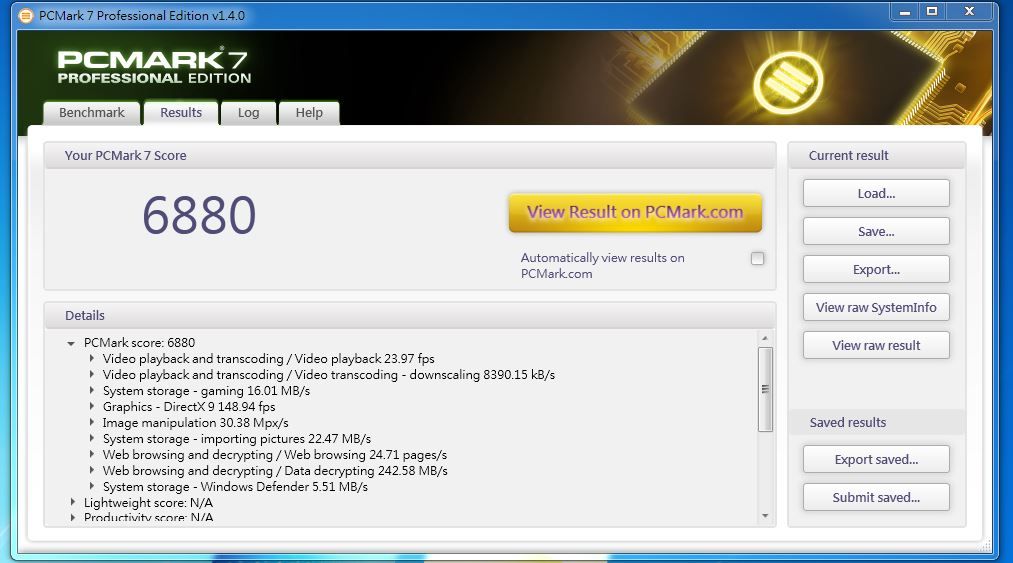
PCMARK 7:
http://shadowsfalltw.gjisland.net/pic/asusz97pg/pcm7oc.JPG
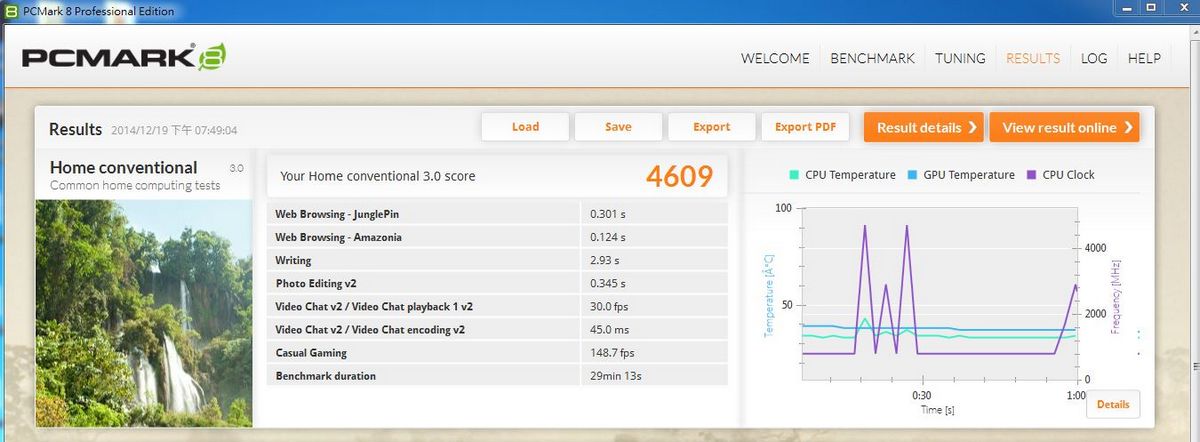
PCMARK 8
http://shadowsfalltw.gjisland.net/pic/asusz97pg/pcm8convoc.JPG
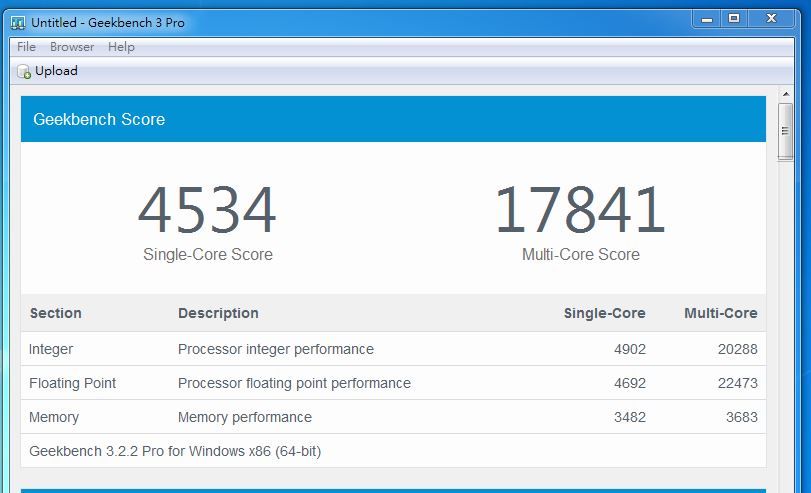
GeekBench:
http://shadowsfalltw.gjisland.net/pic/asusz97pg/geekoc.JPG
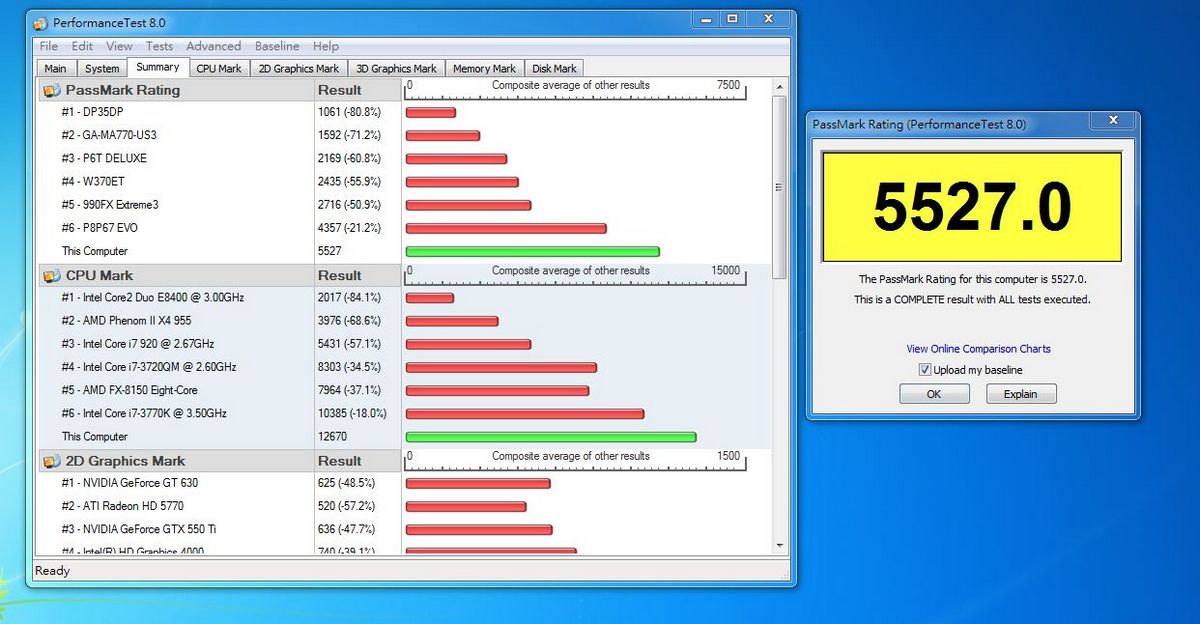
Peformance Test 8:
http://shadowsfalltw.gjisland.net/pic/asusz97pg/pt8oc.JPG
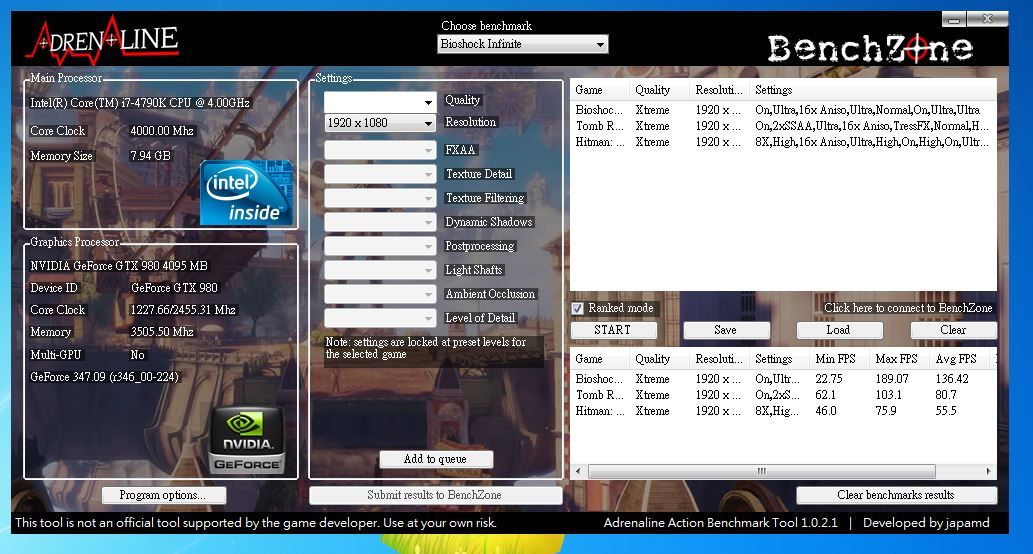
遊戲測試:
http://shadowsfalltw.gjisland.net/pic/asusz97pg/gamesoc.JPG
--
--
http://shadowsfalltw.gjisland.net/?p=3787
--
產品外包裝:
http://shadowsfalltw.gjisland.net/pic/asusz97pg/z97progamer01.JPG
配件一覽:
http://shadowsfalltw.gjisland.net/pic/asusz97pg/z97progamer04.JPG
本體部分,散熱片也是採紅黑配色。
http://shadowsfalltw.gjisland.net/pic/asusz97pg/z97progamer05.JPG
背板 I/O 部分:最大的特色在於 Lan Port 內使用了較高規格的 LanGuard 技術來進行
耦合以及ESD保護。
http://shadowsfalltw.gjisland.net/pic/asusz97pg/z97progamer06.JPG
供電 VRM 部分相來是主機板的重點,Z97-Pro Gamer 看起來 CPU 是有八相供電,不過是
否為八相供電,應要從 PWM 主控以及 MOSFET Driver 的型號與數量來確認,在此使用的
是 ASP1252 4 相 Digi+VRM。不過使用的Driver 編號查詢並沒有公開資料,因此無法確
定是否內建擴相電路。
http://shadowsfalltw.gjisland.net/pic/asusz97pg/z97progamer07.JPG
但從 Driver、MOSFET 擺放的位置以及產品定位的經驗法則來看,應是使用了電感並聯的
手法 搭配了 2HS+2LS MOSFET 的 4相供電,在這價格的設計上是恰如其分;VRM 其餘的
元素則是使用了 FP10K 固態電容,以及 Ferrite 電感組成,在供電的 MOSFET 部分則是
近來在 ASUS 主機板上能見度頗高的 NXP PSMN1R6-30BL 及PSMN2R4-30YLD。
http://shadowsfalltw.gjisland.net/pic/asusz97pg/z97progamer09.JPG
記憶體部分則是相同的手法以及元件用料,採並聯電感與2HS+2LS 的一相供電;主控則是
RT8120,但因為使用了 RT8120,並沒有辦法在軟體中進行細調,僅能在 BIOS 內部對記
憶體供電作調控。在電源插頭的上方則是有 DRAM LED ,搭配其他各處的 BOOT LED 來指
示 POST 開機流程狀況。
http://shadowsfalltw.gjisland.net/pic/asusz97pg/z97progamer11.JPG
Slot 配置:
http://shadowsfalltw.gjisland.net/pic/asusz97pg/z97progamer13.JPG
網路使用了 intel I218V PHY :
http://shadowsfalltw.gjisland.net/pic/asusz97pg/z97progamer15.JPG
環控晶片使用 NCT6791D;ASM1083 進行PCIe 轉 PCI 信號:
http://shadowsfalltw.gjisland.net/pic/asusz97pg/z97progamer16.JPG
TPU :
http://shadowsfalltw.gjisland.net/pic/asusz97pg/z97progamer17.JPG
SATA I/O區塊搭載了 SATA EXPRESS,另外 SATA Port 4 與 M.2 插槽共用:
http://shadowsfalltw.gjisland.net/pic/asusz97pg/z97progamer18.JPG
音效部分使用了 SupremeFX 設計,上面的電容與 ROG 系列同樣使用了 ELNA 系列電解電
容;金屬遮蔽罩有確實接地。
http://shadowsfalltw.gjisland.net/pic/asusz97pg/z97progamer22.JPG
耳擴使用的 OPA 則是 TI RC4580:
http://shadowsfalltw.gjisland.net/pic/asusz97pg/z97progamer23.JPG
背面的切割槽線則是與先前開箱的 ROG M7H 相同:
http://shadowsfalltw.gjisland.net/pic/asusz97pg/z97progamer24.JPG
背面部分:可以看到並沒有多餘的 MOS Driver,因此大致上可以排除了八相的可能
http://shadowsfalltw.gjisland.net/pic/asusz97pg/z97progamer25.JPG
槽線部分同樣是使用紅色 LED 製造發光效果:
http://shadowsfalltw.gjisland.net/pic/asusz97pg/z97progamer26.JPG
BIOS部分挑選部分截圖,Z97-PRO GAMER 的布局與一般的通路系列主機板相同,但是配色
也一併換成紅黑配色。
http://shadowsfalltw.gjisland.net/pic/asusz97pg/z97pgbios01.jpg
在搭配的軟體部分,主要的控制介面還是 Ai Suite 3 提供整合一站式控制;在性能調校
的部分,Z97 世代將Dual Intelligent Processors 技術,也就是 EPU、TPU 升級到了第
五代,但因為 Z97-Pro Gamer 功能畢竟還是有限縮,在可用的選項自然沒有正規的 ROG
多,但絕大部分的超頻機制,尤其是 CPU 部分並沒有差別太多。
http://shadowsfalltw.gjisland.net/pic/asusz97pg/as0.JPG
http://shadowsfalltw.gjisland.net/pic/asusz97pg/as8.JPG
接下來簡單測試整體性能,測試平台:
CPU: Intel Core i7-4790K @預設值/ 4600MHz Auto
主機板: ASUS Z97-PRO GAMER
記憶體: Samsung DDR-1600 4GB*2 Auto
電源供應器: THORTECH Thunderbolt 1200W
儲存裝置: G.skill Phoenix III 240GB
顯示卡: NVIDIA Geforce GTX980
CPU-Z:
http://shadowsfalltw.gjisland.net/pic/asusz97pg/system.JPG
Cinebench:
http://shadowsfalltw.gjisland.net/pic/asusz97pg/cine.JPG
3DMARK:
http://shadowsfalltw.gjisland.net/pic/asusz97pg/3dm.JPG
3DMARK06:
http://shadowsfalltw.gjisland.net/pic/asusz97pg/3dm06.JPG
3DMARK11:
http://shadowsfalltw.gjisland.net/pic/asusz97pg/3dm11p.JPG
PCMARK 7:
http://shadowsfalltw.gjisland.net/pic/asusz97pg/pcm7.JPG
PCMARK 8
http://shadowsfalltw.gjisland.net/pic/asusz97pg/pcm8conv.JPG
GeekBench:
http://shadowsfalltw.gjisland.net/pic/asusz97pg/geek.JPG
Peformance Test 8:
http://shadowsfalltw.gjisland.net/pic/asusz97pg/pt8.JPG
遊戲測試:
http://shadowsfalltw.gjisland.net/pic/asusz97pg/games.JPG
超頻數據直接透過 5-Way Optimization 達成,最後的結果是 4.7GHz。
http://shadowsfalltw.gjisland.net/pic/asusz97pg/as12.JPG
Cinebench:
http://shadowsfalltw.gjisland.net/pic/asusz97pg/cineoc.JPG
3DMARK:
http://shadowsfalltw.gjisland.net/pic/asusz97pg/3dmoc.JPG
3DMARK06:
http://shadowsfalltw.gjisland.net/pic/asusz97pg/3dm06oc.JPG
3DMARK11:
http://shadowsfalltw.gjisland.net/pic/asusz97pg/3dm11poc.JPG
PCMARK 7:
http://shadowsfalltw.gjisland.net/pic/asusz97pg/pcm7oc.JPG
PCMARK 8
http://shadowsfalltw.gjisland.net/pic/asusz97pg/pcm8convoc.JPG
GeekBench:
http://shadowsfalltw.gjisland.net/pic/asusz97pg/geekoc.JPG
Peformance Test 8:
http://shadowsfalltw.gjisland.net/pic/asusz97pg/pt8oc.JPG
遊戲測試:
http://shadowsfalltw.gjisland.net/pic/asusz97pg/gamesoc.JPG
--
--
All Comments