
LINK http://www.xfastest.com/viewthread.php?tid=45868&extra=page%3D1
這幾年內, 整個儲存裝置的變化似乎因為SSD而有很大得變化. 雖然傳統硬碟載容量部分
一直往上增加, 但是其速度卻受限於讀寫頭以及其他機械設計的限制, 所以在速度部分,
沒辦法再往上提升. 也因為如此, 也有越來越多人選擇了能夠在速度上滿足使用的SSD做
為主要系統的儲存碟.
在過去的JM、SAMSUNG、INTEL到INDILINX, 經歷很不長的時間, 都在過去的一年內發生的
統統出來了.
INTEL控制器在目前應該算是主流的控制器了, 不論是-V或是-M, 幾乎可以各論壇上看到
相關的話題討論. 今天當然不是要介紹INTEL的SSD, 而是追求更高的效能的晶片組 –
SANDFORCE.
SANDFORCE的強大在於其IOPS以及4K小檔讀寫, 而這兩點幾乎就是SSD的弱點所在. SF的控
制器似乎無視這兩個弱點, 在4K以及IOPS的表現都相較於其他幾家的控制器來的強大許多
. 至於實際表現, 往下繼續看吧.
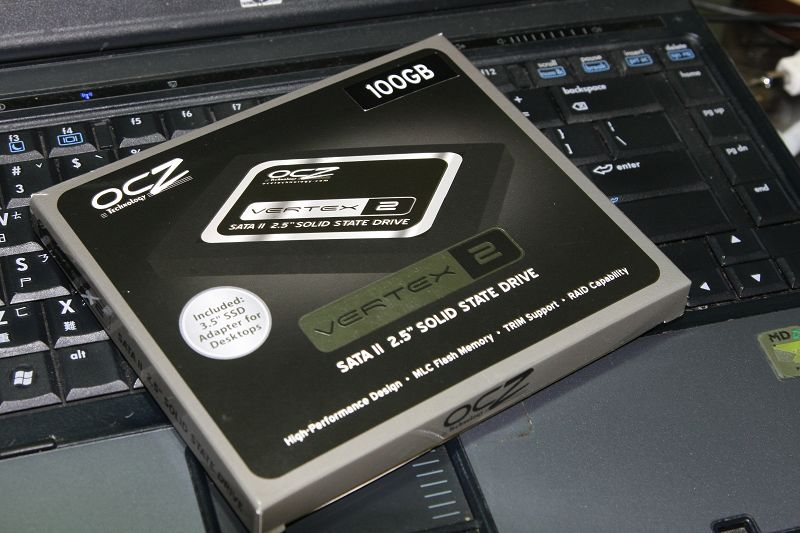
這次拿到的是OCZ的VERTEX 2, 容量為100G. 小P拿到這顆SSD的時候, 看到容量大概知道
這是SANDFORCE的控制器.
外盒部分.
http://pic.xfastest.com/pertonas/vertex2/1.jpg
http://pic.xfastest.com/pertonas/vertex2/2.jpg
http://pic.xfastest.com/pertonas/vertex2/3.jpg
http://pic.xfastest.com/pertonas/vertex2/4.jpg
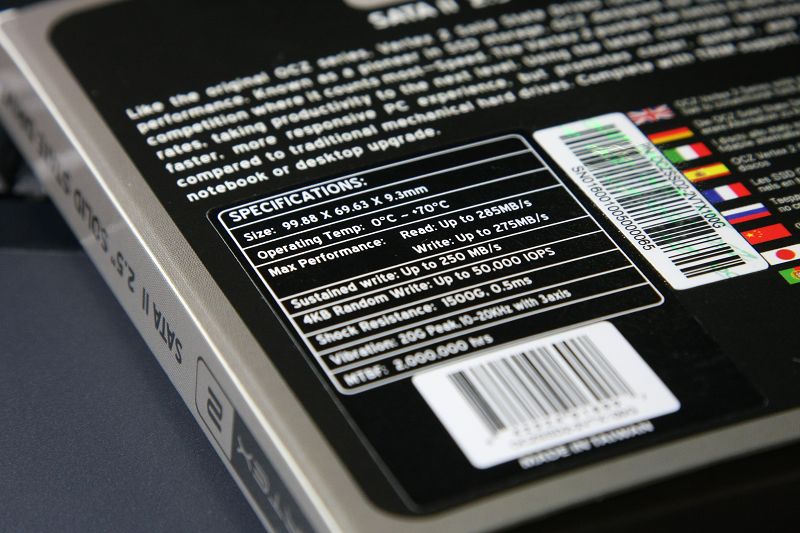
官方數據
http://pic.xfastest.com/pertonas/vertex2/5.jpg
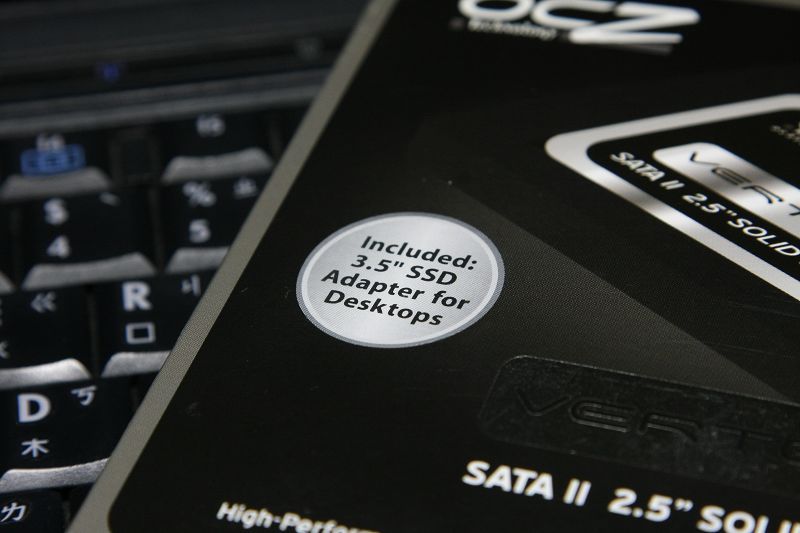
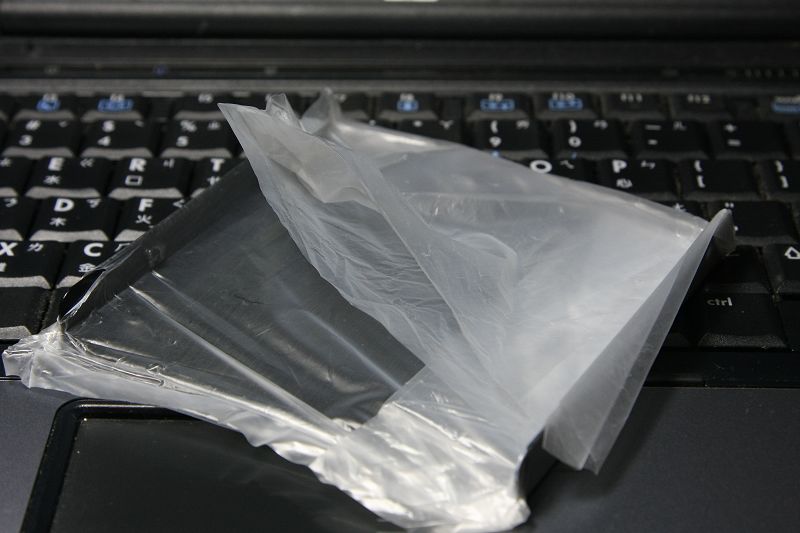
附贈的硬碟轉接架.
http://pic.xfastest.com/pertonas/vertex2/6.jpg
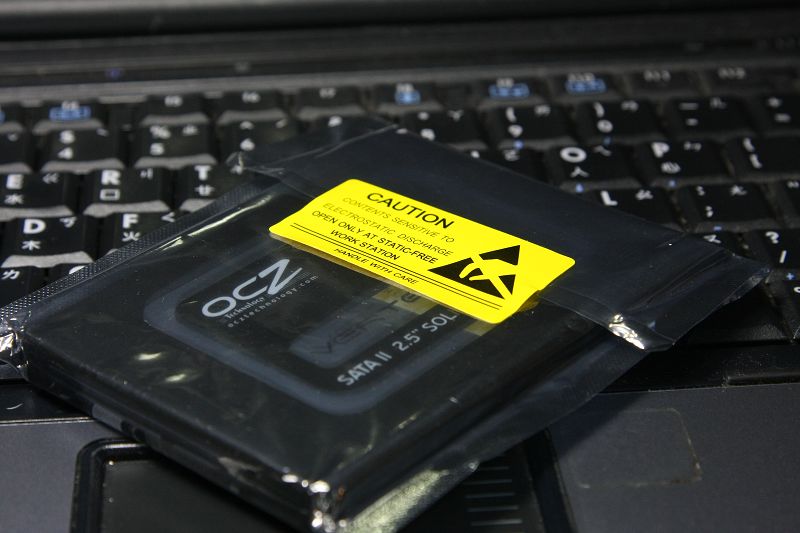
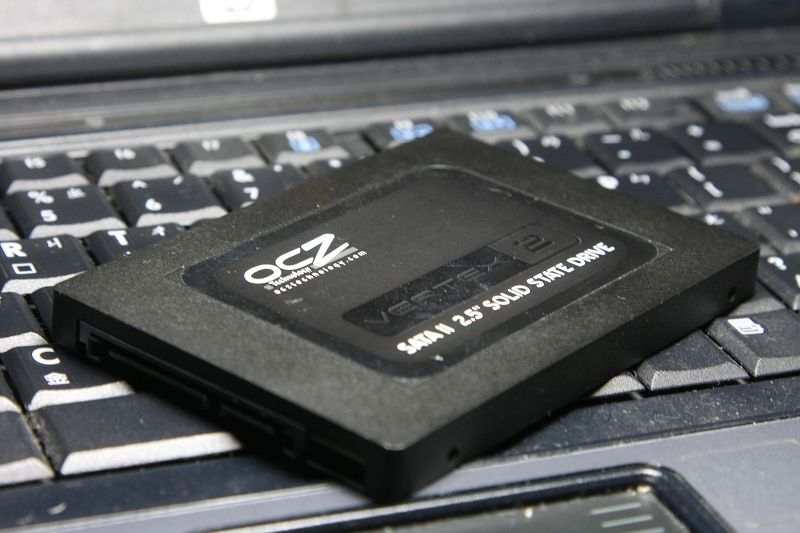
OCZ VERTEX2 本體.
http://pic.xfastest.com/pertonas/vertex2/7.jpg
http://pic.xfastest.com/pertonas/vertex2/8.jpg
接頭部分.
http://pic.xfastest.com/pertonas/vertex2/9.jpg
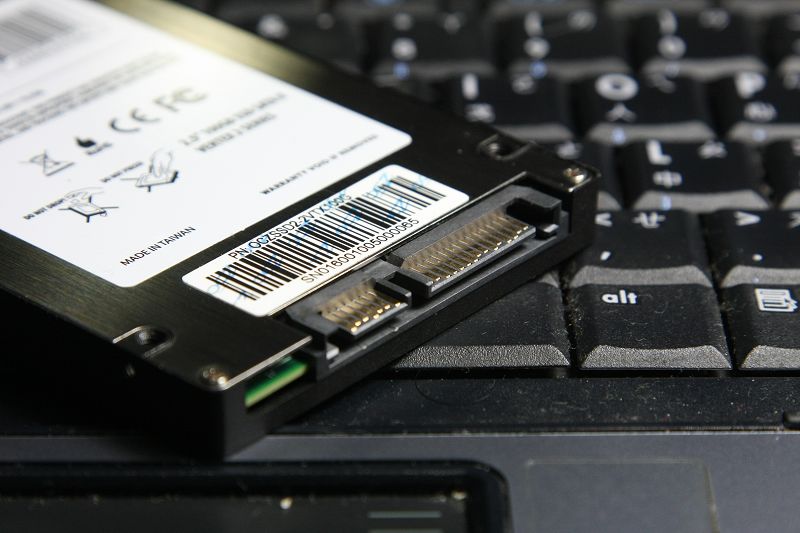
控制器部分, SF-1200
http://pic.xfastest.com/pertonas/vertex2/10.jpg
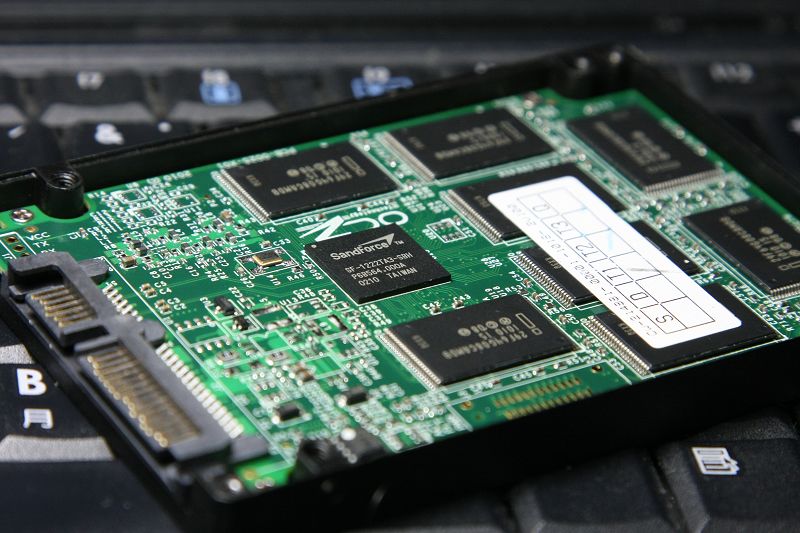
顆粒部分.
http://pic.xfastest.com/pertonas/vertex2/11.jpg
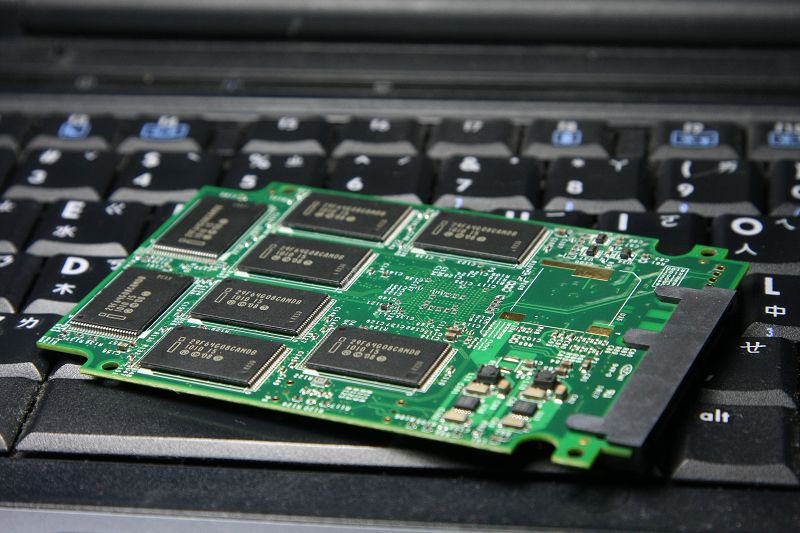
其實跟一般的SSD差異不大, 但是可以發現少了一般SSD有的快取, 似乎是因為SANDFORCE
已經將快取併入到晶片組內部.
而實際效能到底如何, 就繼續看下去吧. 這裡利用了兩個模式 – AHCI開啟以及AHCI關閉
進行測試.
測試主機板晶片組為INTEL X58 ICH10R.
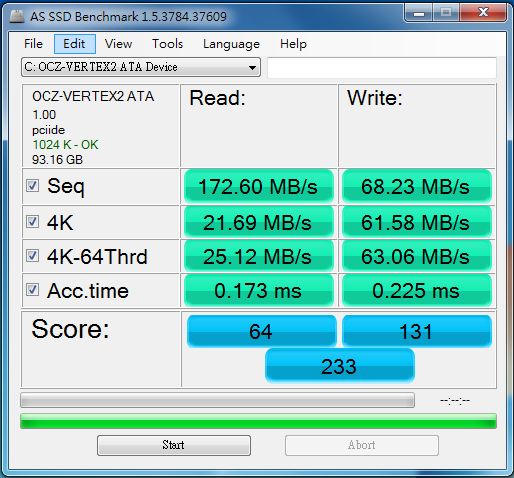
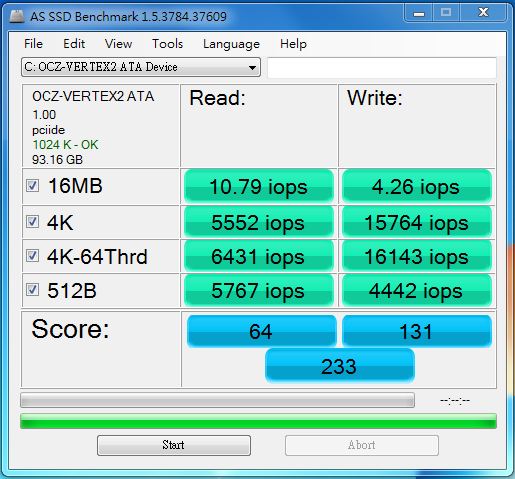
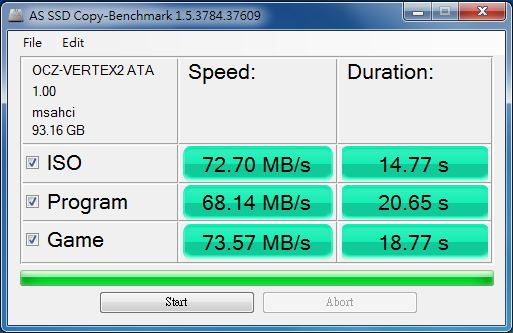
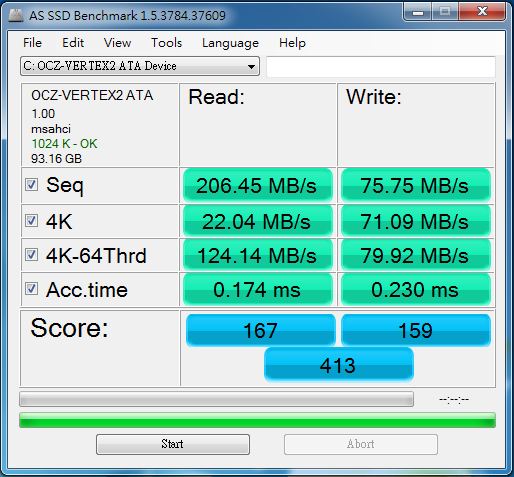
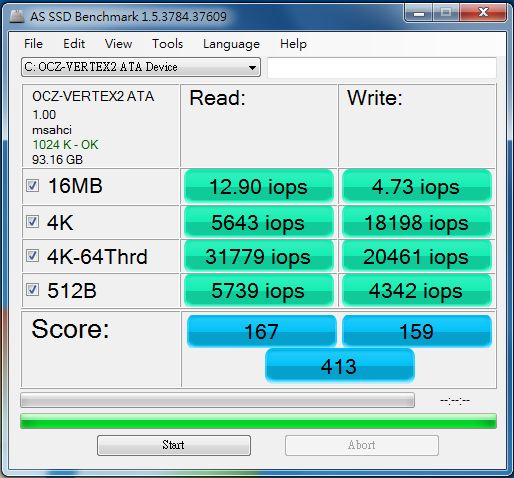
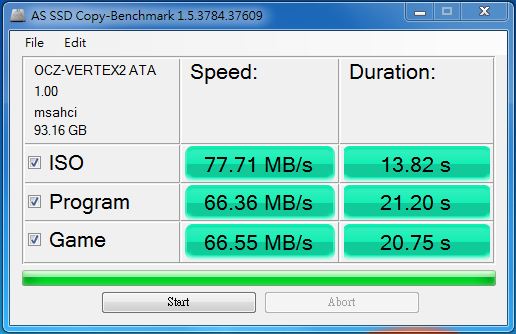
首先看看針對SSD BENCHMARK – AS SSD BENCHMARK
AHCI關閉
http://pic.xfastest.com/pertonas/vertex2/as1.JPG
http://pic.xfastest.com/pertonas/vertex2/as.JPG
http://pic.xfastest.com/pertonas/vertex2/c.JPG
AHCI開啟
http://pic.xfastest.com/pertonas/vertex2/as1_a.JPG
http://pic.xfastest.com/pertonas/vertex2/as_a.JPG
http://pic.xfastest.com/pertonas/vertex2/c_a.JPG
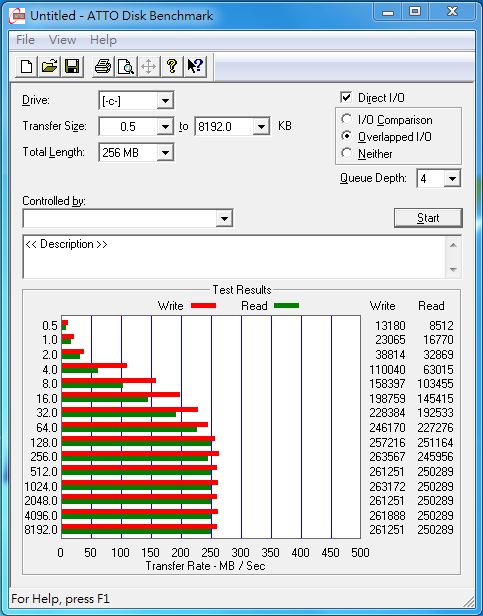
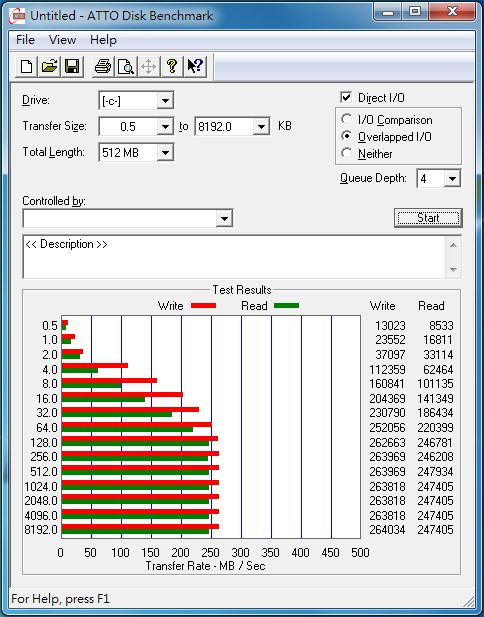
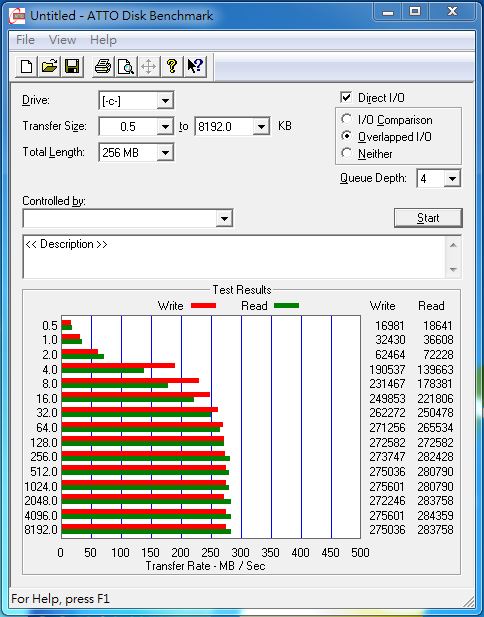
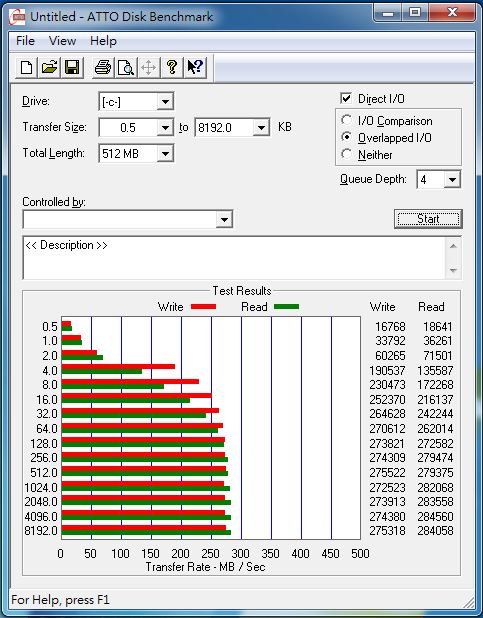
ATTO DISK BENCHMARK
AHCI關閉
http://pic.xfastest.com/pertonas/vertex2/atto.JPG
http://pic.xfastest.com/pertonas/vertex2/atto512.JPG
AHCI開啟
http://pic.xfastest.com/pertonas/vertex2/atto_a.JPG
http://pic.xfastest.com/pertonas/vertex2/atto512_a.JPG
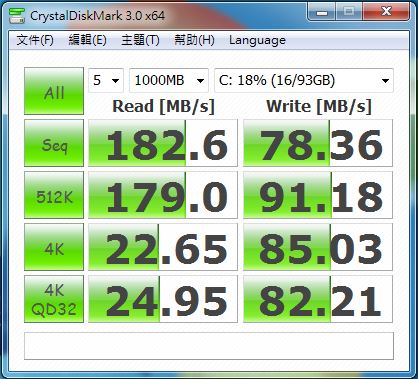
CrystalDiskMark
AHCI關閉
http://pic.xfastest.com/pertonas/vertex2/cm.JPG
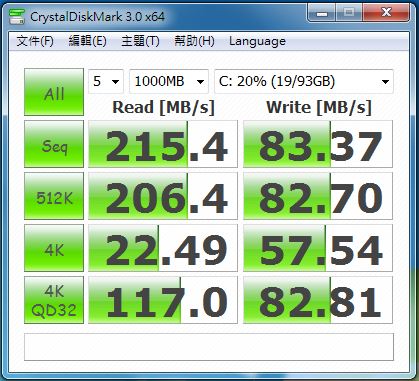
AHCI開啟
http://pic.xfastest.com/pertonas/vertex2/cm_a.JPG
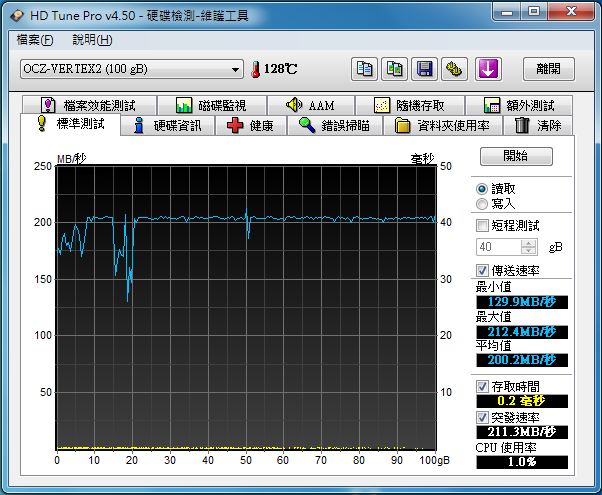
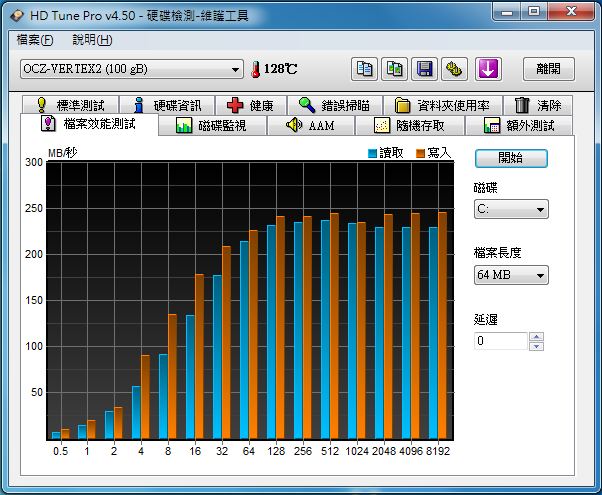
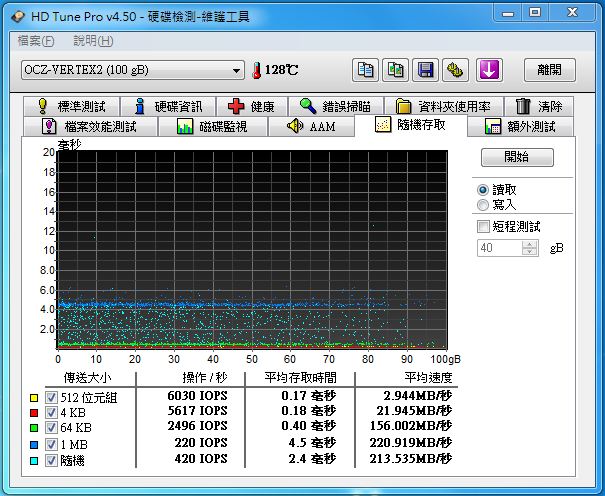
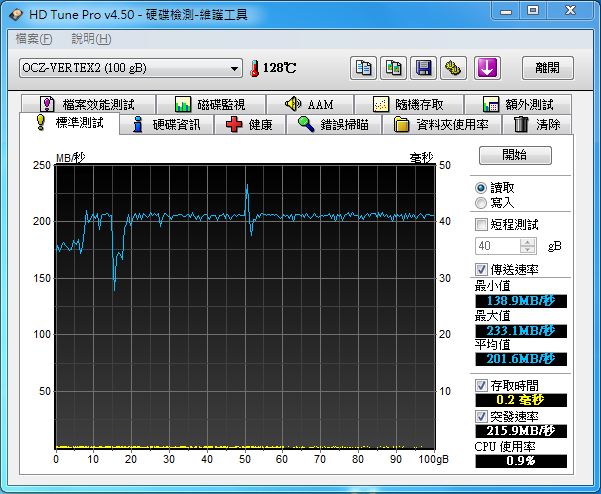
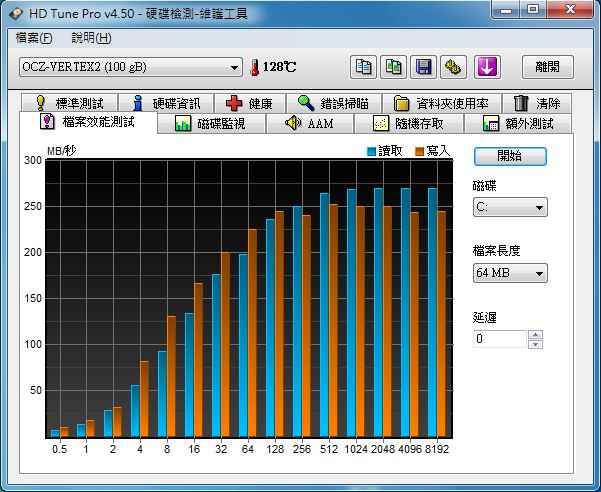
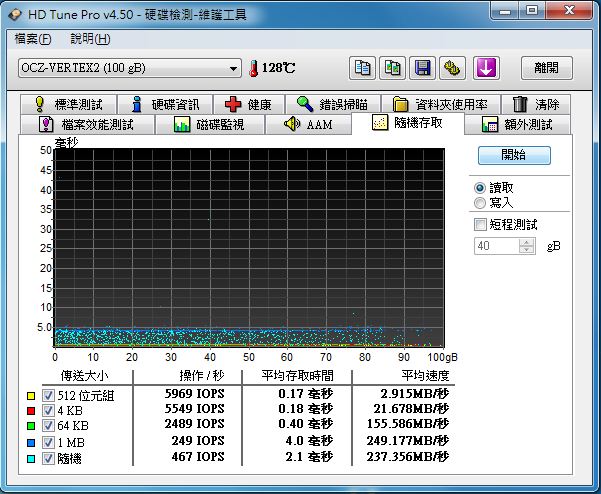
HD TUNE PRO v4.50
AHCI關閉
http://pic.xfastest.com/pertonas/vertex2/hd450.JPG
http://pic.xfastest.com/pertonas/vertex2/hd451.JPG
http://pic.xfastest.com/pertonas/vertex2/iops.JPG
AHCI開啟
http://pic.xfastest.com/pertonas/vertex2/hd450_a.JPG
http://pic.xfastest.com/pertonas/vertex2/hd451_a.JPG
http://pic.xfastest.com/pertonas/vertex2/iops_a.JPG
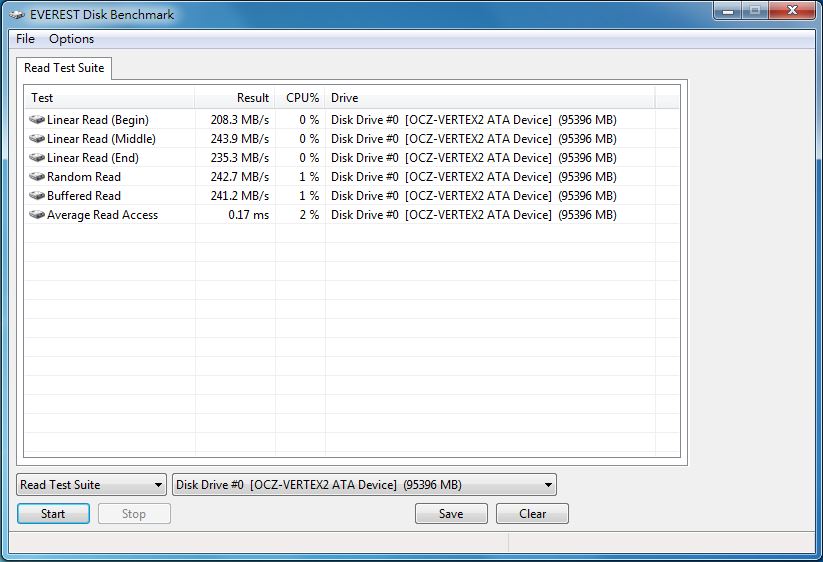
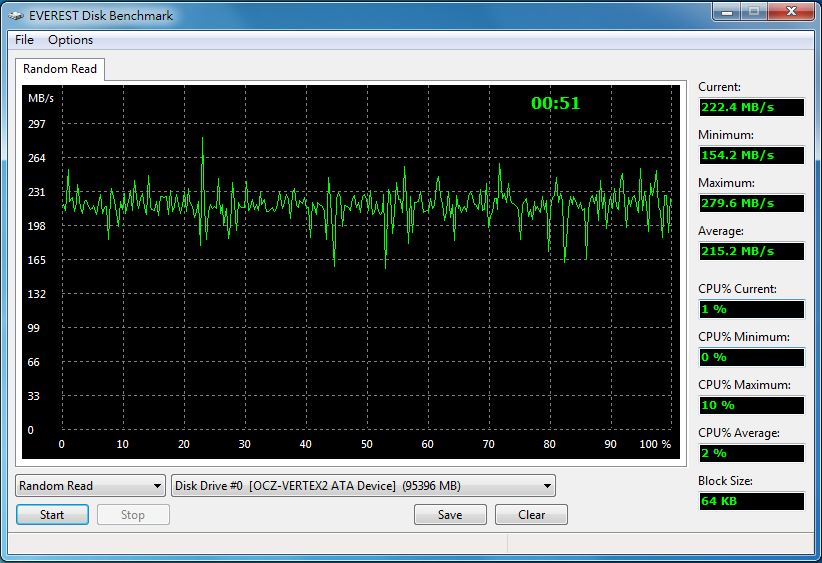
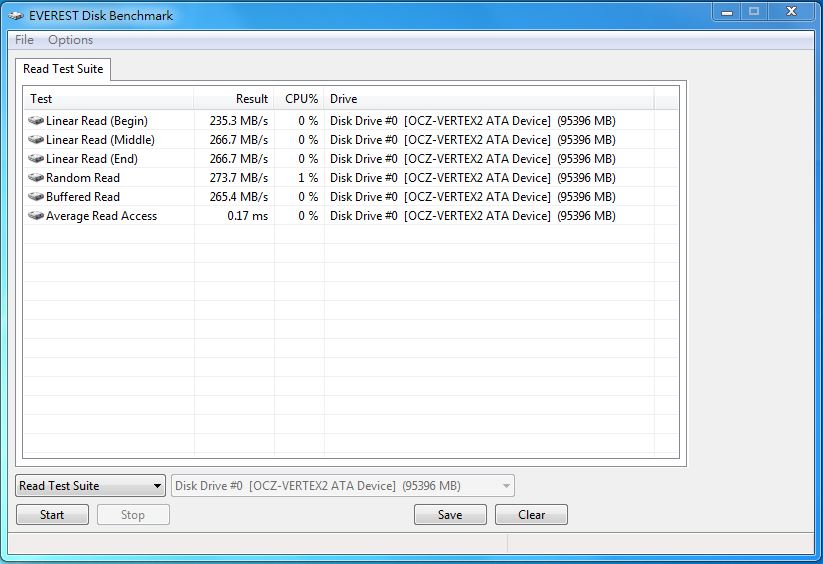
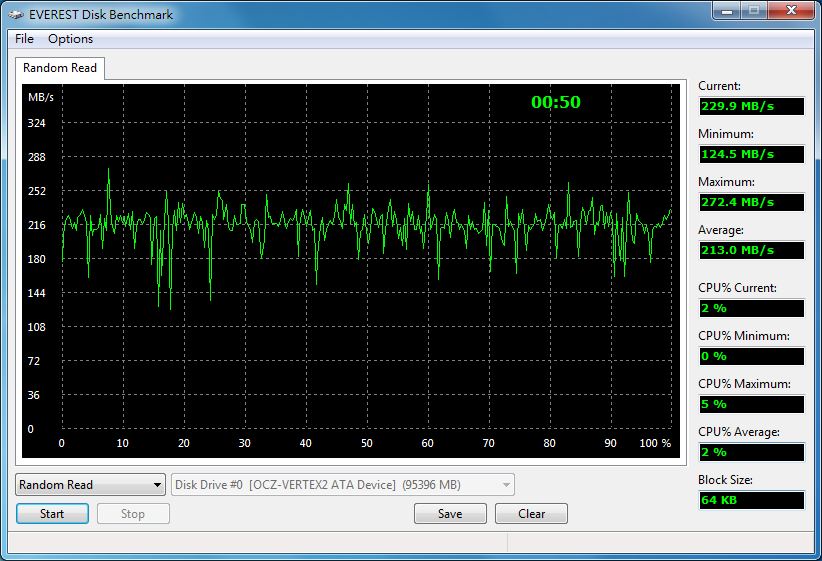
EverestUltimate中針對硬碟效能傳輸的測試 – RANDOM READ 以及 READ TEST SUITE
AHCI關閉
http://pic.xfastest.com/pertonas/vertex2/rtd.JPG
http://pic.xfastest.com/pertonas/vertex2/rr.JPG
AHCI開啟
http://pic.xfastest.com/pertonas/vertex2/rtd_a.JPG
http://pic.xfastest.com/pertonas/vertex2/rr_a.JPG
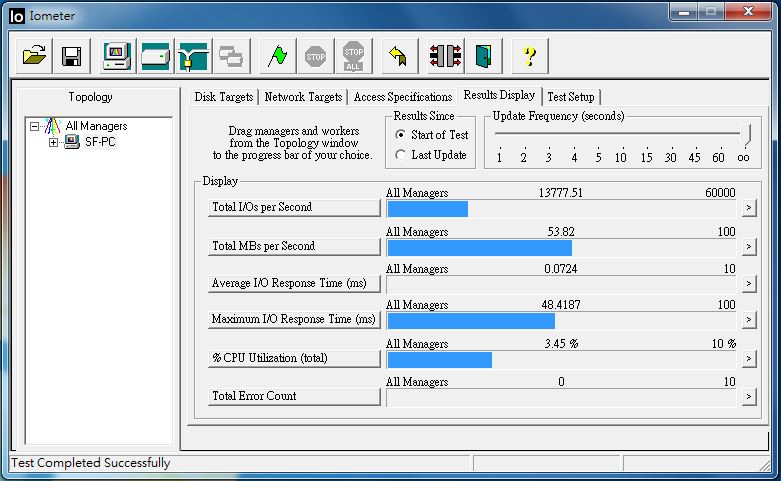
IOMETER. 主要針對4K進行測試.
AHCI關閉
http://pic.xfastest.com/pertonas/vertex2/io.JPG
AHCI開啟
http://pic.xfastest.com/pertonas/vertex2/io_a.JPG
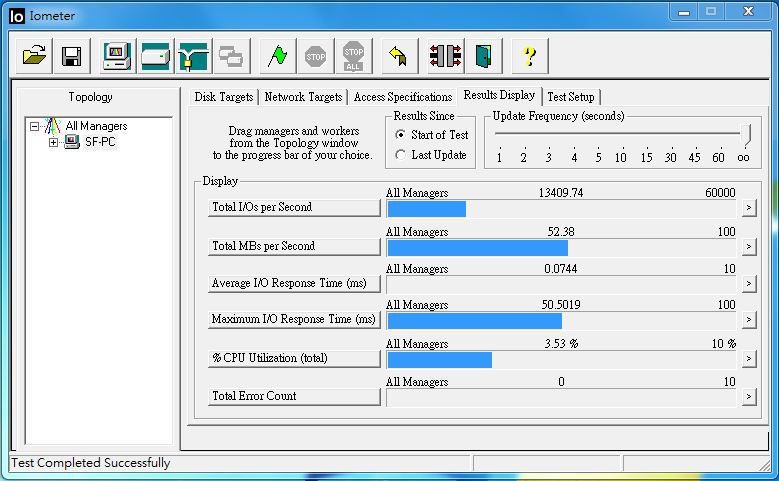
透過數字可以發現, VERTEX2在開啟AHCI之後, 整個效能簡直就往上提升了許多, 這似乎
跟韌體有一點瓜葛.
以SANDFORCE 1200作為控制器的OCZ VERTEX2不論是在READ / WRITE 或是IOPS的表現都非
常不錯, 特別是4K小檔的讀寫, 只能說SSD真的越來越恐怖. 而在容量上, 以100G大小而
言, 絕對是足以滿足許多人的使用條件.
所謂一分錢一分貨…所以看到這樣的數據, 不難想像這顆SSD能夠便宜到什麼地方. 目前
以SANDFORCE為控制器的SSD, 幾乎都不便宜…真的希望, 這類型的產品能夠更快的降到一
般消費者都買得起的價格阿 ~~~~
另外記得一件事情, 不論是使用SSD或是一般的HDD, 都必須不定時備份, 不要到資料消失
的時候…才在頭痛啊…..
以上是採用SANDFORCE SF-1200為控制器的OCZ VERTEX2測試介紹分享, 謝謝收看.
--
All Comments